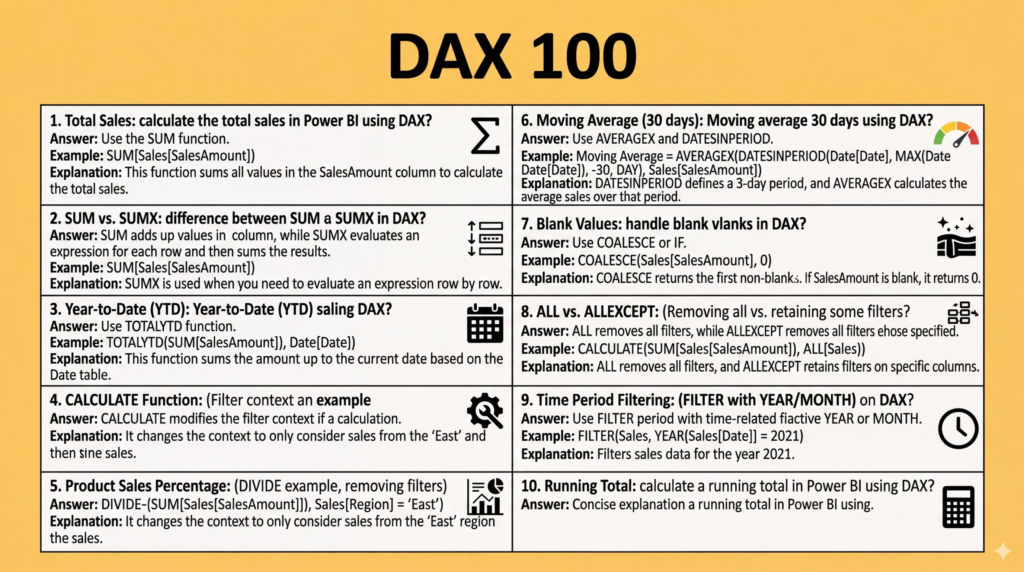
In the world of Business Intelligence, technical proficiency in Power BI is often judged by one’s mastery of DAX (Data Analysis Expressions). While the drag-and-drop features of Power BI make it accessible, DAX is the engine that drives complex calculations, sophisticated data modeling, and deep business insights. For any data professional, the DAX technical round is often the most challenging part of the hiring process.
To help you navigate these technical hurdles, we are excited to introduce the Top 100 DAX Interview Questions and Answers PDF. This comprehensive guide is designed to take you from the basics of syntax to the complexities of filter context, ensuring you are fully prepared for your next career move.
1. Introduction
Data Analysis Expressions (DAX) is more than just a formula language; it is a functional language used in Power BI, Analysis Services, and Power Pivot in Excel. Because it behaves differently than Excel formulas or SQL queries, many candidates find it difficult to explain their logic during interviews.
This post introduces a specialized Top 100 DAX Interview Questions and Answers PDF. Whether you are preparing for a role as a Data Analyst, BI Developer, or Data Engineer, this document provides the structured preparation you need to articulate your technical expertise clearly and concisely.
2. Overview of the Document
The Top 100 DAX Interview Questions and Answers PDF is a curated collection of the most frequent and impactful questions asked by hiring managers today. The document is organized logically, moving from fundamental concepts to advanced performance optimization techniques.


Each entry follows a “Question-Answer-Explanation” framework. This means you don’t just get a formula; you get a clear explanation of why that formula works and the logic behind the functions used. This approach is essential for interviews where recruiters often ask follow-up questions to test the depth of your understanding.
3. The Content
The PDF covers a vast array of topics essential for any Power BI professional. The content is divided into several key areas:
- Aggregations & Iterators: Understanding the difference between
SUMandSUMX, and knowing when to use row-level iteration. - Filter Context & Evaluation: Deep dives into the
CALCULATEfunction—the most powerful function in DAX—and how it modifies filter context. - Time Intelligence: Comprehensive answers on calculating Year-to-Date (YTD), Year-over-Year (YoY) growth, and moving averages using functions like
TOTALYTDandSAMEPERIODLASTYEAR. - Table Functions & Relationships: Using
FILTER,ALL,VALUES, andTREATASto manipulate data relationships dynamically. - Advanced Logic: Calculating percentage of totals, running totals, and closing stock values with precision.
4. Why This Document?
With so many resources available online, why choose this PDF?
- Focused Expertise: Unlike general Power BI guides, this document focuses exclusively on DAX, which is typically the “make or break” segment of a technical interview.
- Practical Examples: Every answer includes a DAX snippet that you can practice in your own Power BI Desktop environment.
- Contextual Learning: The “Explanation” section for each question helps you build the vocabulary needed to explain complex concepts like “Context Transition” or “Expanded Tables” to non-technical stakeholders.
- Portable Preparation: Having a single, high-quality PDF allows you to study offline, making it easy to review key formulas and concepts during your commute or right before your interview.
Sample DAX Interview Questions and Answers
Here is a preview of the kind of questions you will practice in the PDF. Each one includes a short answer and a DAX example, written the way you would explain it in an interview.
Q1. What is the difference between SUM and SUMX?
SUM adds up a single column. SUMX is an iterator: it evaluates an expression for every row of a table and then adds up the results. Use SUMX when the value has to be calculated row by row first, for example quantity × price.
Total Sales = SUMX ( Sales, Sales[Quantity] * Sales[Unit Price] )Q2. What is the difference between row context and filter context?
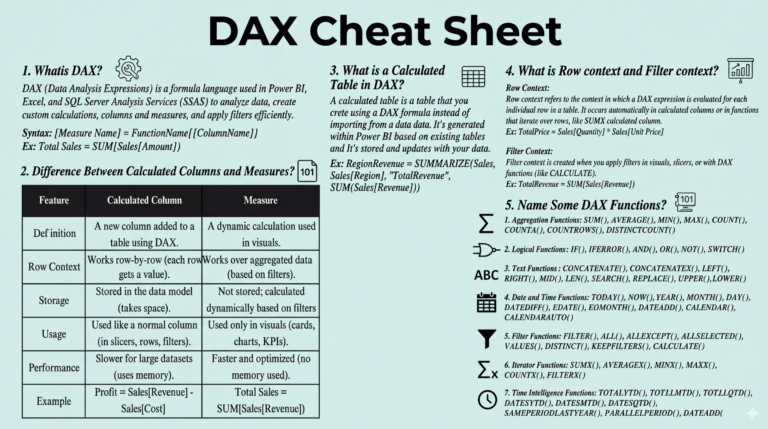
Row context means “the current row”. It exists in calculated columns and inside iterators such as SUMX and FILTER. Filter context is the set of filters applied to the model by slicers, visuals, rows and columns, or CALCULATE. Row context does not filter the model on its own. It needs context transition to do that.
Q3. What does CALCULATE do, and what is context transition?
CALCULATE evaluates an expression in a modified filter context, adding, replacing or removing filters. When CALCULATE is used inside a row context, it turns the current row into an equivalent filter context. This is called context transition.
Sales Red Products =
CALCULATE ( [Total Sales], 'Product'[Color] = "Red" )
Q4. Calculated column or measure: when do you use each?
A calculated column is computed at refresh time, stored in the model and evaluated row by row. Use it when you need to slice or filter by the value. A measure is computed at query time in the current filter context and stores nothing. Use measures for aggregations such as totals, ratios and KPIs. In general, prefer measures because they keep the model smaller.
Q5. How do you calculate percentage of the grand total?
Remove the filters on the dimension inside the denominator with ALL or REMOVEFILTERS, and use DIVIDE to handle division by zero safely:
% of Total =
DIVIDE ( [Total Sales], CALCULATE ( [Total Sales], REMOVEFILTERS ( 'Product' ) ) )
Q6. How do you calculate Year-to-Date and Year-over-Year growth?
Time intelligence functions need a proper Date table, marked as a date table, with continuous dates.
Sales YTD = TOTALYTD ( [Total Sales], 'Date'[Date] )

Sales LY  = CALCULATE ( [Total Sales], SAMEPERIODLASTYEAR ( 'Date'[Date] ) )

YoY %     = DIVIDE ( [Total Sales] - [Sales LY], [Sales LY] )
Q7. What is the difference between ALL, ALLEXCEPT and ALLSELECTED?
ALL removes all filters from a table or columns. ALLEXCEPT removes all filters except those on the columns you list. ALLSELECTED removes filters coming from inside the visual but keeps the outer selections, such as slicers. This makes it the right choice for a “percentage of visible total”.
Q8. Why should you use variables (VAR) in DAX?
Variables make code easier to read and debug. They can also improve performance, because each variable is evaluated once and then reused. Note that a variable is evaluated in the context where it is defined, not where it is used.
How to Prepare for a DAX Technical Interview
- Practice in Power BI Desktop with a sample dataset. Typing the formulas yourself is far more effective than only reading them.
- Explain the “why”. Interviewers often follow up with “what happens if I add a slicer here?” Be ready to describe the filter context.
- Know a few optimization habits: prefer measures to calculated columns, avoid
FILTERover whole tables when a simple column filter will do, and use variables. - Review data modeling (star schema, relationship direction and cardinality). DAX questions often turn into modeling questions.
Frequently Asked Questions
Is this PDF suitable for freshers and experienced candidates?
Yes. The questions start with fundamentals such as syntax, aggregations and measures, which suit freshers. They then move on to filter context, time intelligence and performance, which experienced Power BI developers are expected to know.
Which DAX topics are asked most often in Power BI interviews?
The most common are CALCULATE and filter context, row vs. filter context, iterators (SUMX, AVERAGEX), time intelligence (YTD, YoY, moving averages), calculated columns vs. measures, and ALL/ALLEXCEPT/ALLSELECTED.
More Free Power BI & DAX Resources
- DAX Cheat Sheet PDF
- Ultimate DAX Formula Guide PDF
- Top 80 Power BI Interview Questions and Answers PDF
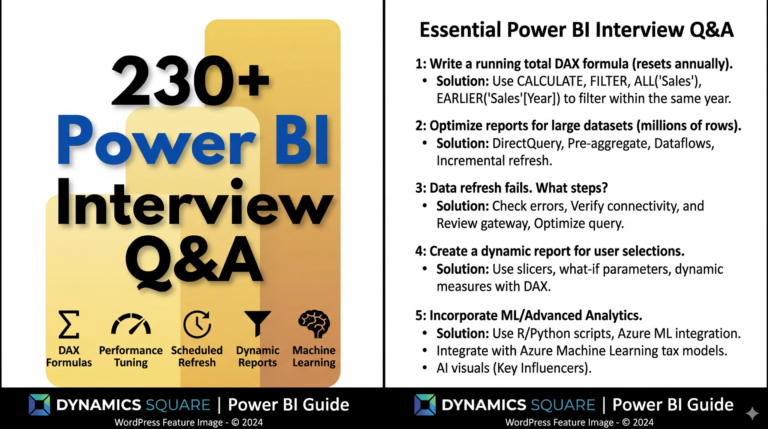
- 230 Power BI Interview Q&A PDF
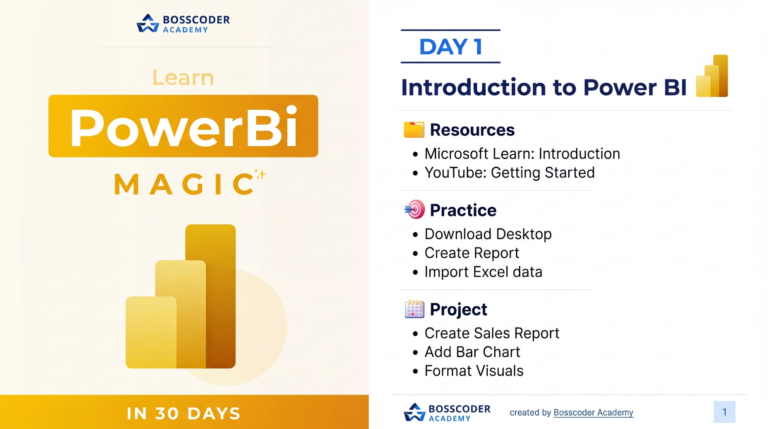
- Master Power BI in 30 Days: Learning Roadmap PDF
5. Conclusion
Success in a Data Analyst interview isn’t just about knowing the right answer; it’s about demonstrating a structured thought process. DAX can be intimidating, but it is also the most rewarding skill to master within the Microsoft Power Platform ecosystem.
The Top 100 DAX Interview Questions and Answers PDF is designed to give you the competitive edge. By mastering these 100 concepts, you prove to employers that you can not only build reports but also perform the complex data gymnastics required to solve real-world business problems.
6. Download PDF
Ready to level up your DAX skills and ace your technical interview? Secure your copy of the guide today and start practicing the formulas that will land you your next role.
Download the Top 100 DAX Interview Questions and Answers PDF Here