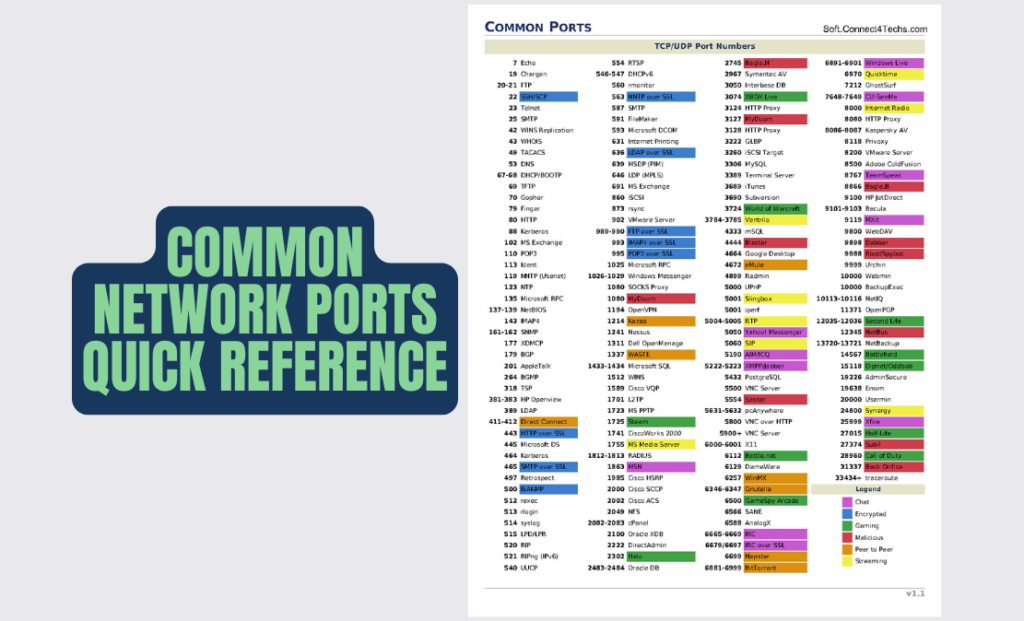
In networking, ports are the unsung heroes that keep data flowing seamlessly between devices—but with over 65,000 possibilities, even pros struggle to recall the critical ones. Introducing the Common Network Ports Quick Reference PDF, your ultimate cheat sheet for instantly identifying ports, protocols, and their roles. Whether you’re configuring firewalls, troubleshooting connectivity, or prepping for certifications like CCNA or Security+, this guide is your shortcut to port mastery.
What’s Inside the PDF?
This isn’t just a list—it’s a visually optimized toolkit designed for speed and clarity:
- 100+ Key Ports: From foundational (HTTP, HTTPS) to niche (SNMP, RDP).
- Color-Coded Tables: Quickly spot protocols by category (e.g., red for security, green for file transfer).
- Protocol Details: TCP vs. UDP, service names, and real-world use cases.
- Troubleshooting Tips: Common issues tied to specific ports (e.g., port 443 blocked = HTTPS failure).
Key Ports at a Glance
Common Web & Email:
- 80 (HTTP): Unencrypted web traffic.
- 443 (HTTPS): Secure web traffic (TLS/SSL).
- 25 (SMTP): Outgoing email delivery.
- 143 (IMAP) / 110 (POP3): Email retrieval.
Security & Remote Access:
- 22 (SSH): Secure command-line access.
- 3389 (RDP): Remote Desktop Protocol.
- 500 (IPSec): VPN authentication.
- 53 (DNS): Domain name resolution.
File Transfer & Sharing:
- 21 (FTP): File transfers (unsecured).
- 20 (FTP-Data): Active mode data channel.
- 445 (SMB): Windows file/printer sharing.
- 69 (TFTP): Lightweight file transfers.
Network Management:
- 161/162 (SNMP): Device monitoring.
- 123 (NTP): Time synchronization.
- 514 (Syslog): Log aggregation.
Gaming & Streaming:
- 3074 (Xbox Live): Xbox multiplayer.
- 27015 (Steam): Game server hosting.
- 1935 (RTMP): Real-time media streaming.
Why This Cheat Sheet Stands Out
✅ Instant Access: No more Googling “what’s port 993?”—find answers in seconds.
✅ Certification Ready: Perfect for CCNA, CompTIA Security+, and AWS exams.
✅ Admin Approved: Used by network engineers to configure firewalls and ACLs.
✅ Print & Post: Tape it to your desk or save it to your phone for on-the-go troubleshooting.
Who Needs This Guide?
- Network Admins: Configure firewalls and troubleshoot connectivity faster.
- DevOps Teams: Secure containers and cloud services with proper port rules.
- Students: Memorize ports for exams like CCNA or Network+.
- Gamers/Streamers: Optimize home networks for lag-free play.
Conclusion: Stop Guessing, Start Knowing
Ports are the DNA of networking—misconfigure one, and your entire system can falter. This cheat sheet helps you:
- Enhance Security: Close risky ports (e.g., Telnet’s port 23) and harden defenses.
- Speed Up Troubleshooting: Diagnose issues like blocked VoIP (port 5060) or email failures.
- Boost Efficiency: Replace hours of research with a 1-page reference.
Download Your Free Copy Now!
Click here to download the Common Network Ports Quick Reference PDF.
Keep it handy for exams, audits, or daily admin tasks—it’s the ultimate networking sidekick!
Tags: Network Ports, CCNA Cheat Sheet, Firewall Configuration, TCP/UDP Ports, Free PDF Guide, IT Certification
Related Free Networking Resources
- Network Ports PDF Reference
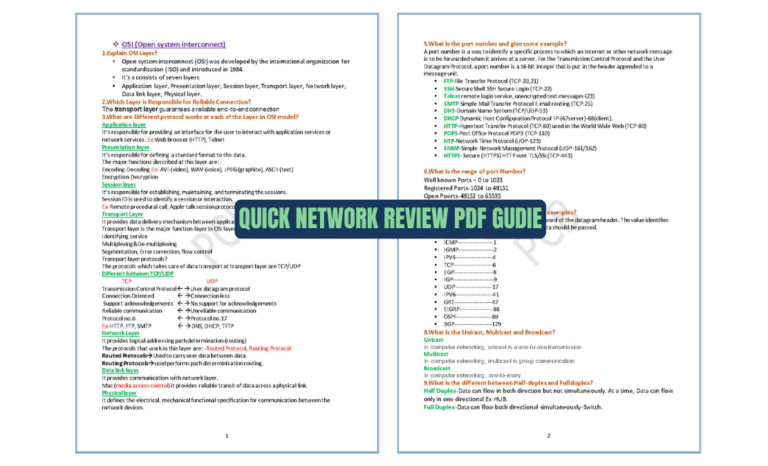
- Quick Network Review PDF Gudie
- CCNA 200-301 Quick Review PDF
- CCNA 200-301 with Our Complete Slides PDF
- Huawei Show Commands PDF – Complete Guide for Network Engineers
- Master Core Network Design: 45 High-Availability Interview Q&A (PDF Guide)