

Introduction
If you work with Huawei networking devices, mastering the right show commands is essential for daily operations, troubleshooting, and performance monitoring.
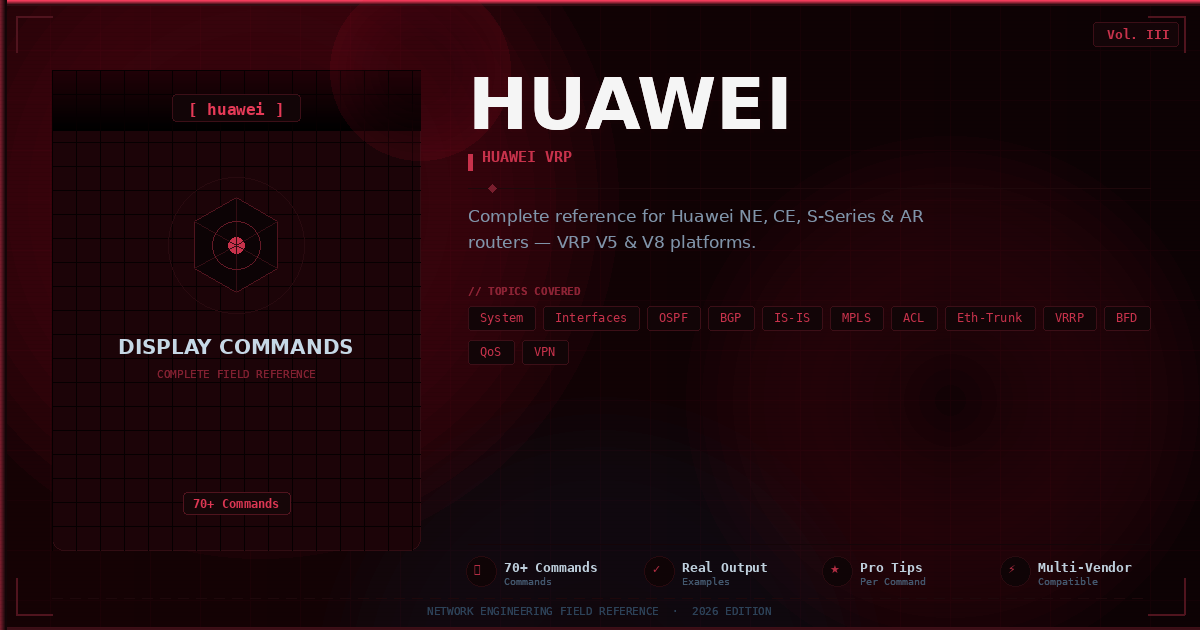
The Huawei Show Commands PDF is a comprehensive reference guide designed to help network engineers, students, and IT professionals quickly access the most important commands used on Huawei routers and switches running VRP (Versatile Routing Platform).
Whether you are preparing for HCIA, HCIP, or HCIE certifications, or you are managing an enterprise Huawei network, this PDF will save you hours of searching through documentation. In this post, we will give you a complete overview of the document, what it contains, why it is useful, and provide a direct download link at the end.
Overview About the Document
The Huawei Show Commands PDF is a carefully organized cheat sheet that compiles the most frequently used display and show commands across multiple Huawei network technologies.
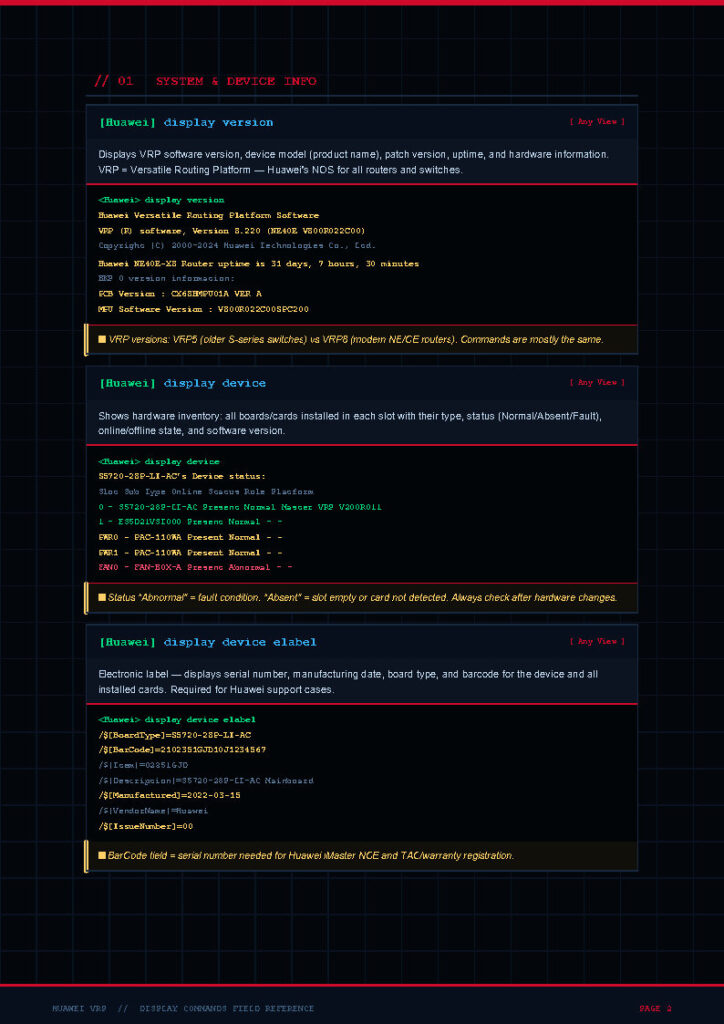
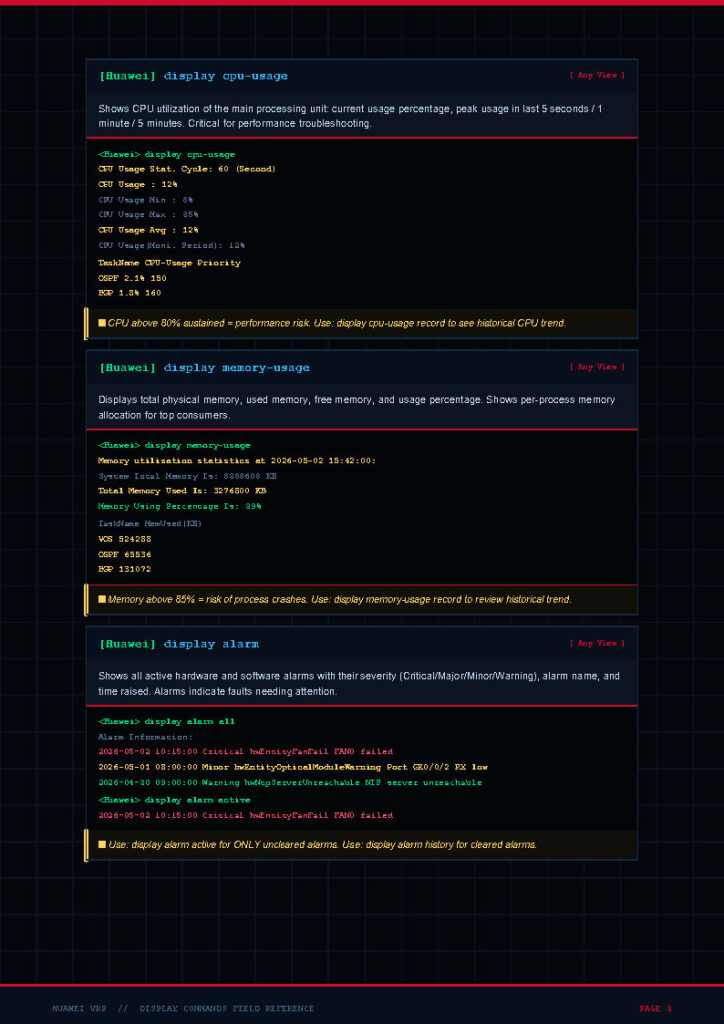
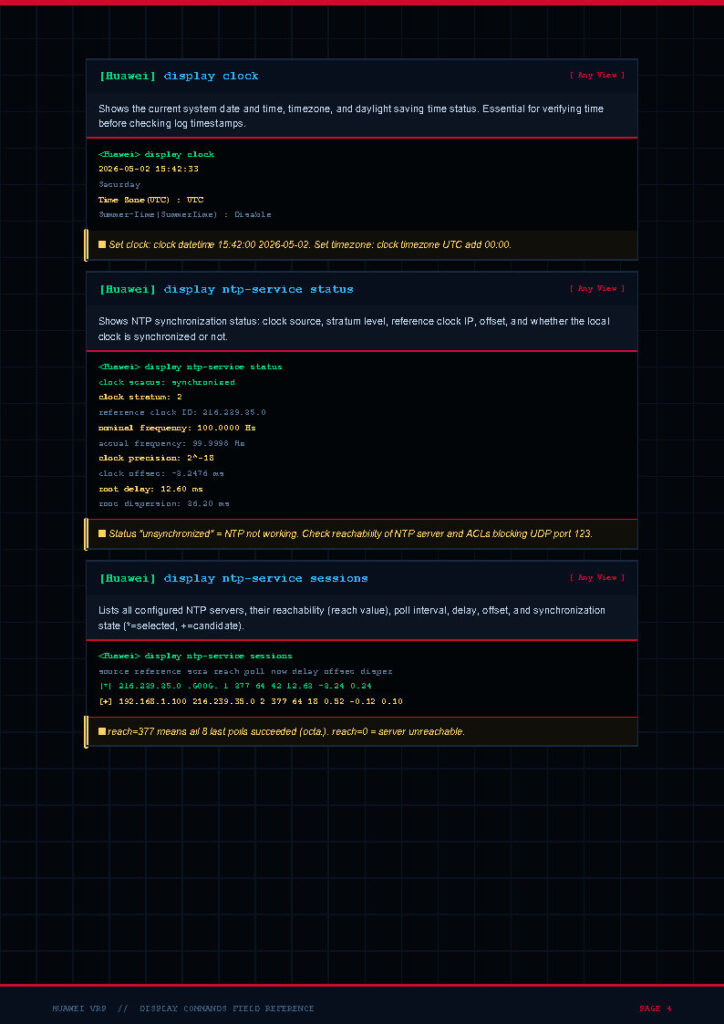
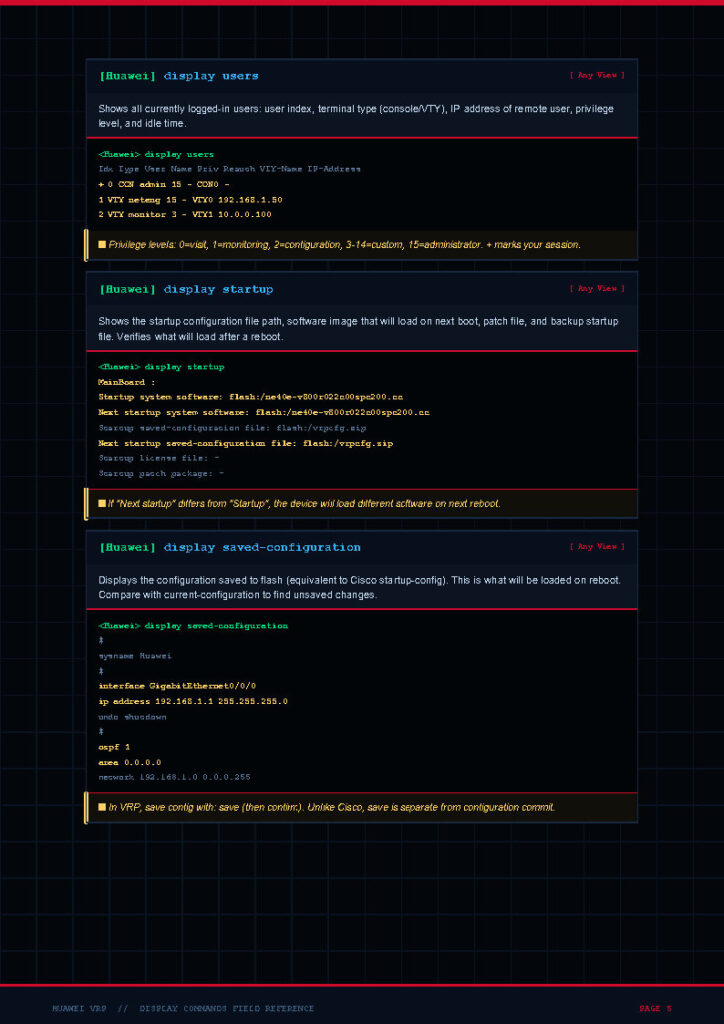
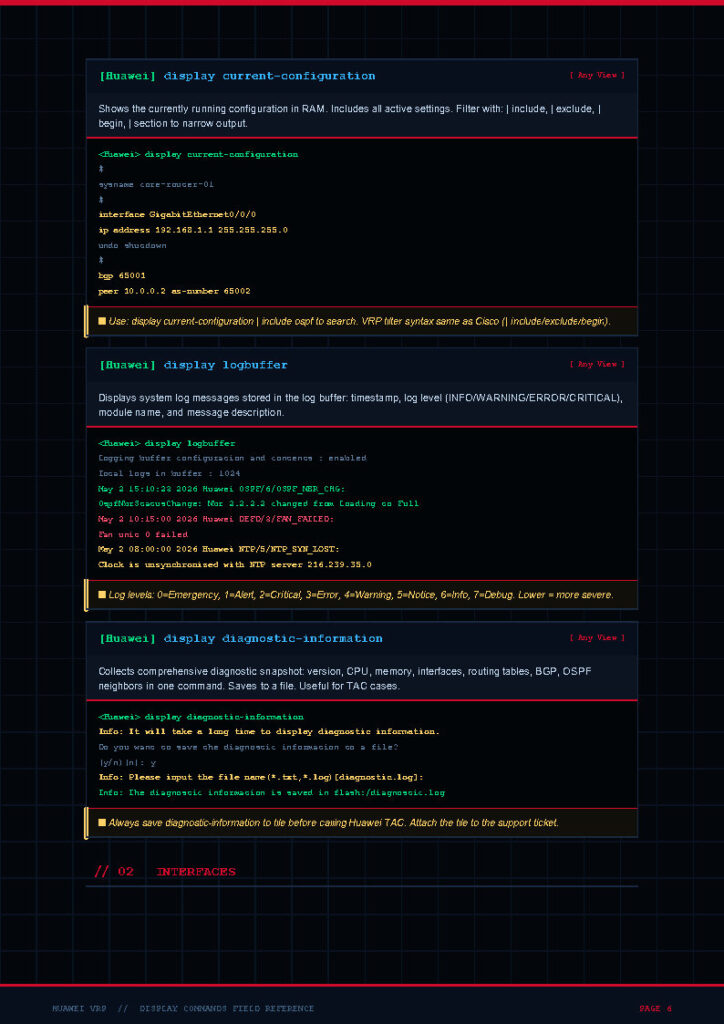
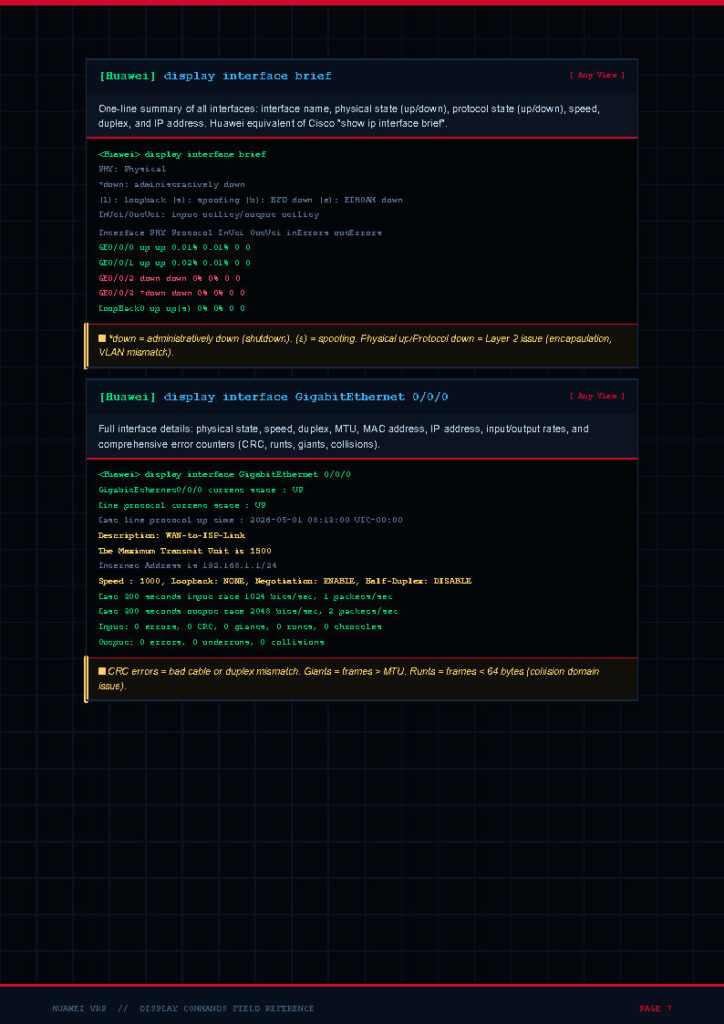
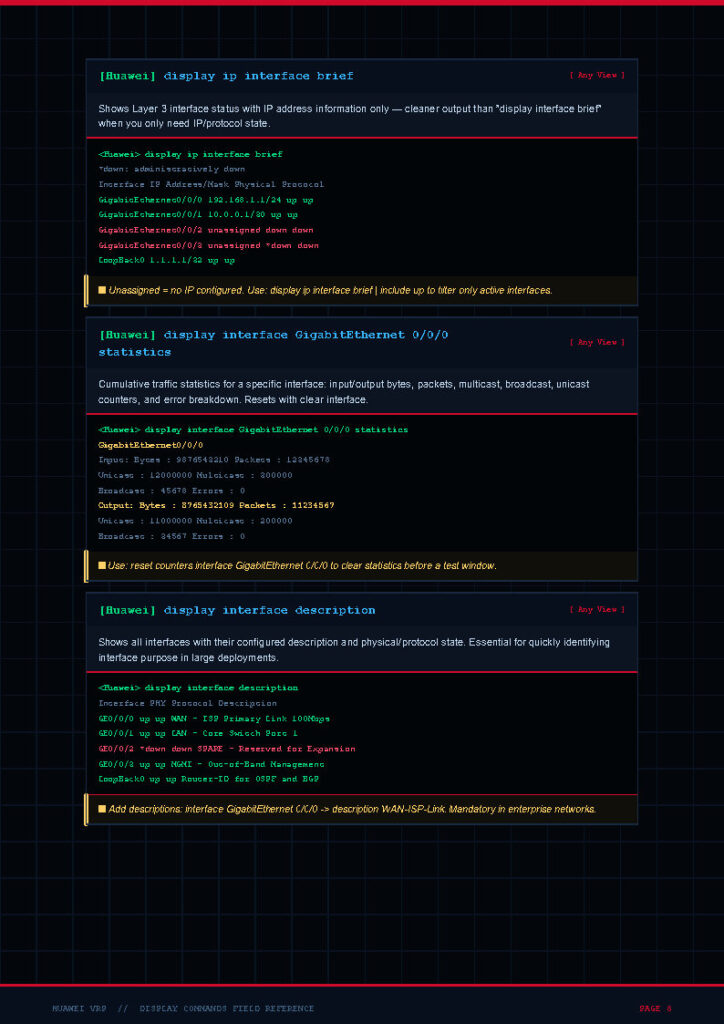
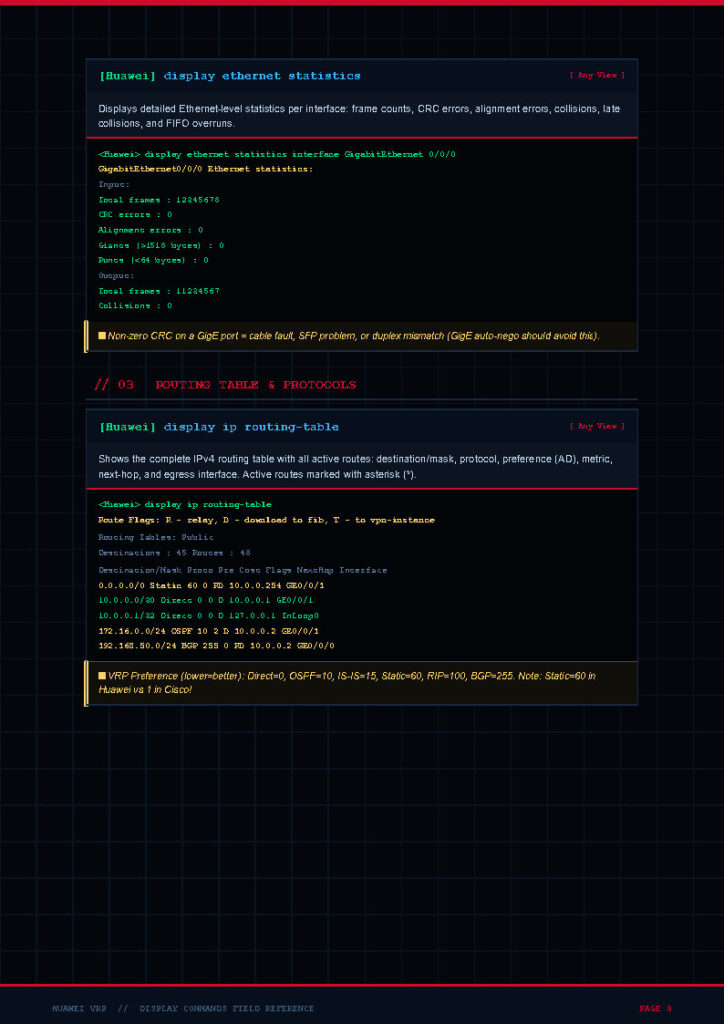
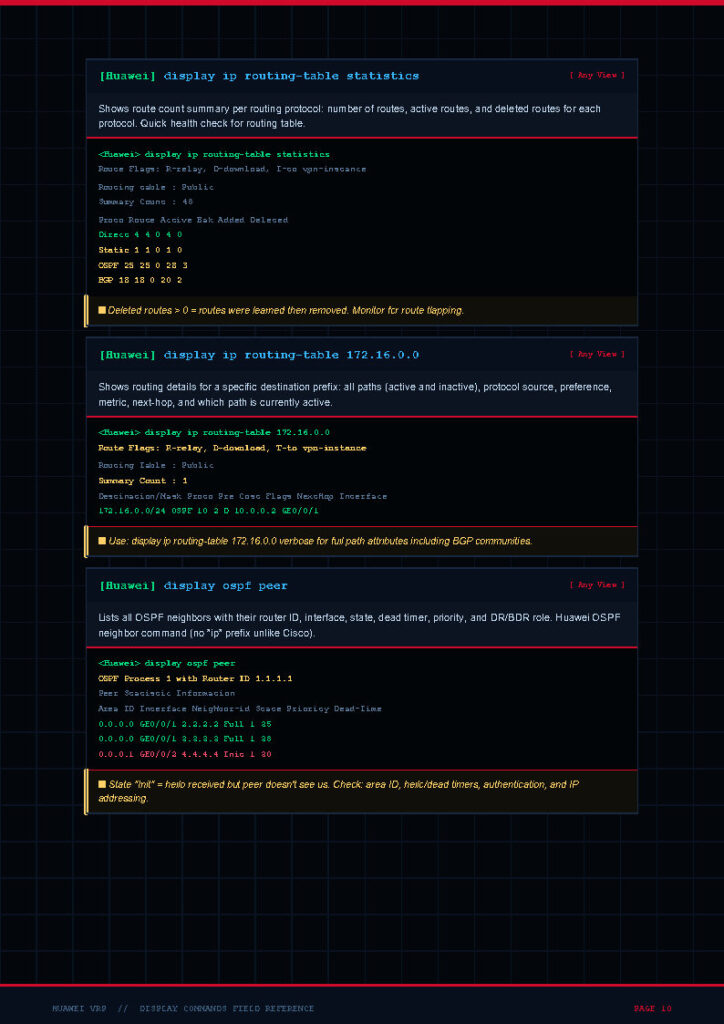
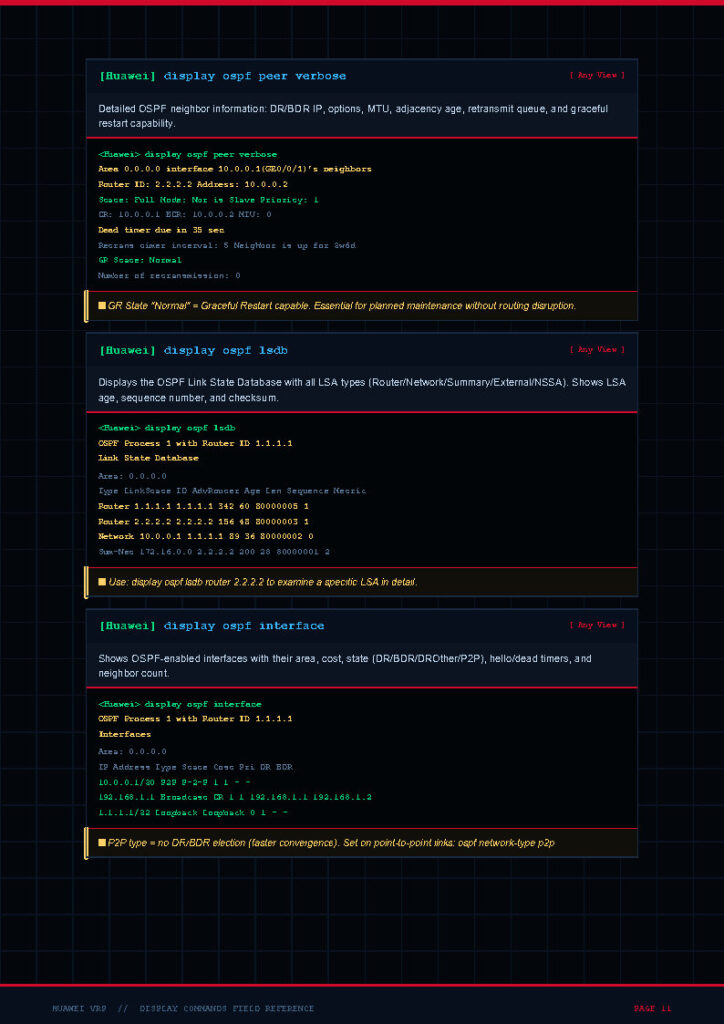
The document is structured by category, making it easy to navigate based on the area you need to verify. It covers everything from basic system information to advanced routing protocols and security features.
Each command is listed with its purpose, allowing you to quickly understand what output to expect and how to use it during real-world network troubleshooting. The PDF is lightweight, printable, and optimized for both desktop and mobile use, making it the perfect companion in the field, in the lab, or at the office.
The Content
The document covers a wide range of show and display commands, grouped logically for quick reference. Topics include system and device information commands such as display version, display device, and display current-configuration. It also includes interface verification commands like display interface, display ip interface brief, and display port vlan. Routing-related commands cover OSPF, BGP, IS-IS, RIP, and static routing, with examples like display ospf peer, display bgp peer, and display ip routing-table.
Switching commands include VLAN, STP, MSTP, link aggregation, and MAC address table verification. Security and management sections feature commands for ACLs, AAA, SSH, SNMP, and logging.
Additional sections cover MPLS, VPN, QoS, multicast, and high-availability features such as VRRP and stack/CSS configurations. Every command in the PDF is straight to the point, making it a true engineer-friendly cheat sheet.
Why This Document
Huawei devices use the VRP operating system, which has its own command syntax that differs from Cisco IOS and Juniper Junos. For engineers transitioning from other vendors or starting fresh with Huawei, remembering all the equivalent commands can be challenging.
This Huawei Show Commands PDF solves that problem by providing a single, well-structured reference that can be used during certification preparation, lab practice, or live production troubleshooting. It accelerates learning, improves productivity, and reduces downtime when investigating network issues.
It is also extremely valuable for HCIA, HCIP, and HCIE candidates who need to memorize the most important verification commands for the exam. Beyond exams, this guide is a long-term companion that you will keep coming back to throughout your networking career.
Conclusion
The Huawei Show Commands PDF is more than just a cheat sheet – it is a practical productivity tool that every Huawei network engineer should have. By bringing together the most essential display commands in one organized document, it empowers you to verify, monitor, and troubleshoot your network with speed and confidence.
Whether you are a beginner exploring Huawei VRP for the first time or an experienced engineer managing large-scale enterprise or service provider networks, this guide will become an essential part of your daily toolkit. Download it, save it on your devices, print a copy for your lab, and keep it close whenever you work with Huawei equipment.
Download From Below Link
You can download the full Huawei Show Commands PDF from the link below and start using it immediately. Make sure to share it with your colleagues and fellow network engineers who may also benefit from this valuable resource.
👉 Download Huawei Show Commands PDF