

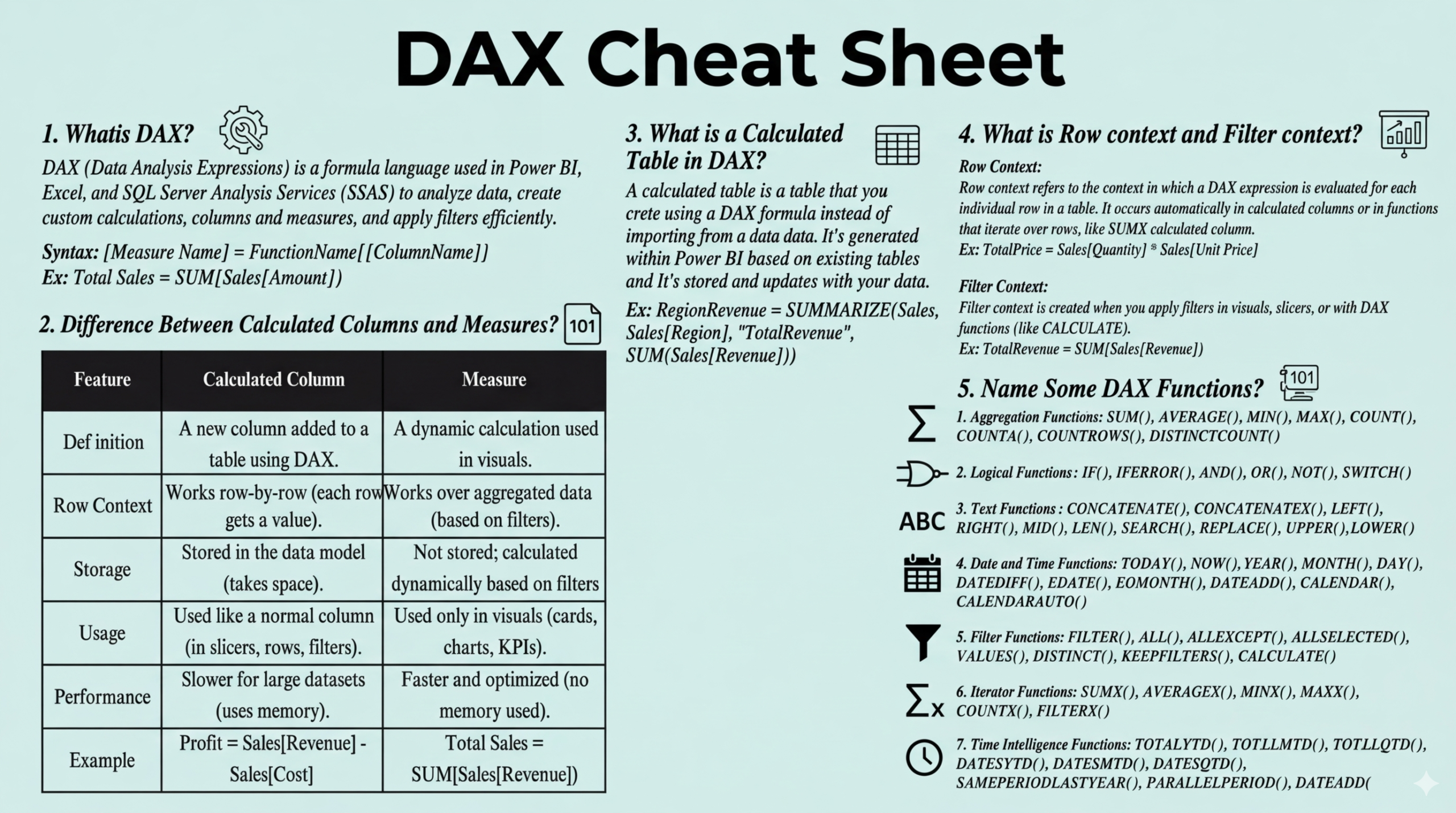
If you have ever worked with Microsoft Power BI, you know that the true magic happens behind the scenes in the data model. While the drag-and-drop interface is excellent for basic visuals, sophisticated business intelligence requires a deep understanding of DAX (Data Analysis Expressions). DAX is the formula language that allows you to create custom calculations, dynamic measures, and complex filters that drive meaningful insights.
To help you navigate this powerful language without getting lost in the syntax, we are excited to introduce the DAX Cheat Sheet PDF. This resource is designed to be your quick-reference companion, whether you are building your first report or optimizing an enterprise-level dashboard.
1. Introduction
Data Analysis Expressions (DAX) is the backbone of Power BI, Analysis Services, and Power Pivot in Excel. It is a collection of functions, operators, and constants that can be used in a formula to calculate and return one or more values. Simply put, DAX helps you create new information from data already in your model.
However, for many analysts, mastering the difference between “Row Context” and “Filter Context” can be a significant hurdle. This post introduces our latest DAX Cheat Sheet PDF, a streamlined document that condenses the most vital DAX concepts and functions into an easy-to-read format. It is specifically designed to reduce your development time and help you write cleaner, more efficient code.
2. Overview of The Document
The DAX Cheat Sheet PDF is a high-impact technical guide that focuses on the practical application of formulas. Rather than acting as an exhaustive dictionary, it serves as a “quick-fire” reference for the problems analysts face most often.
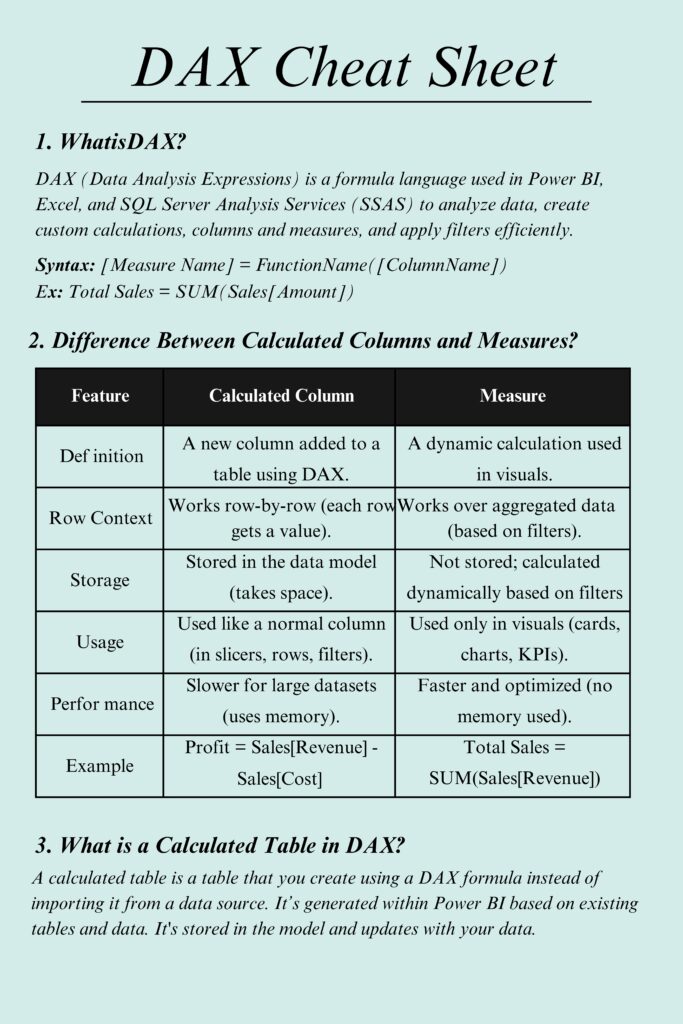
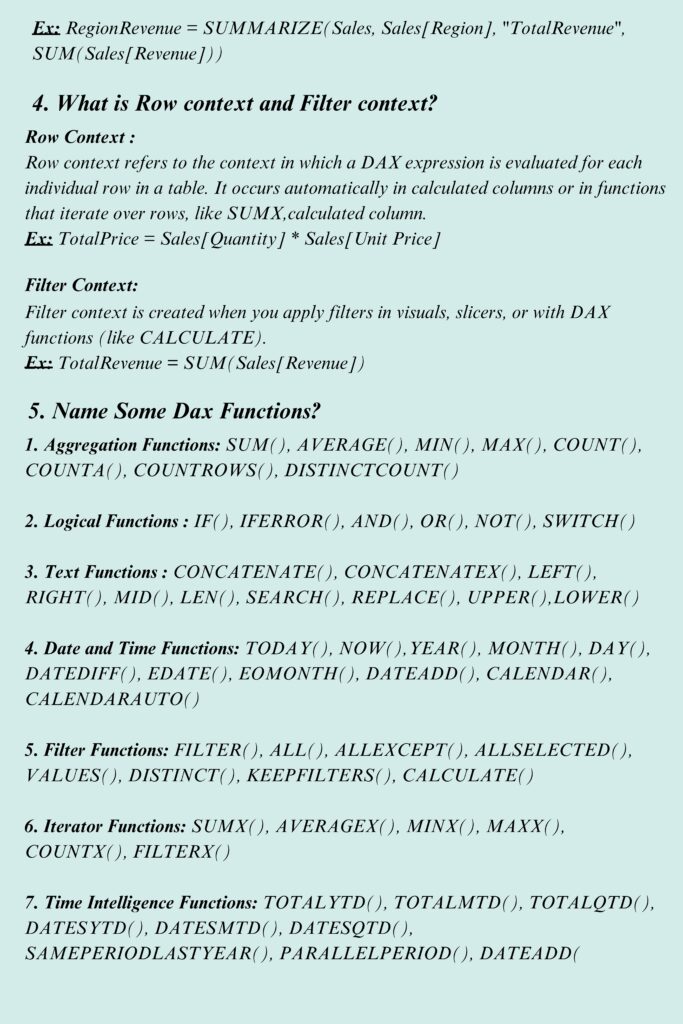
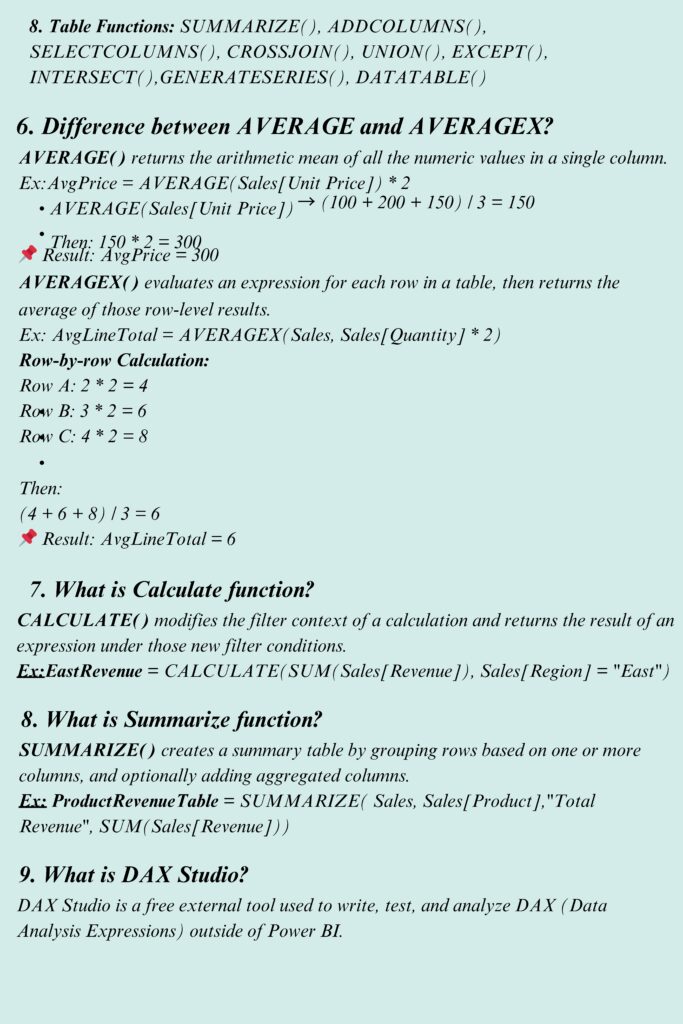
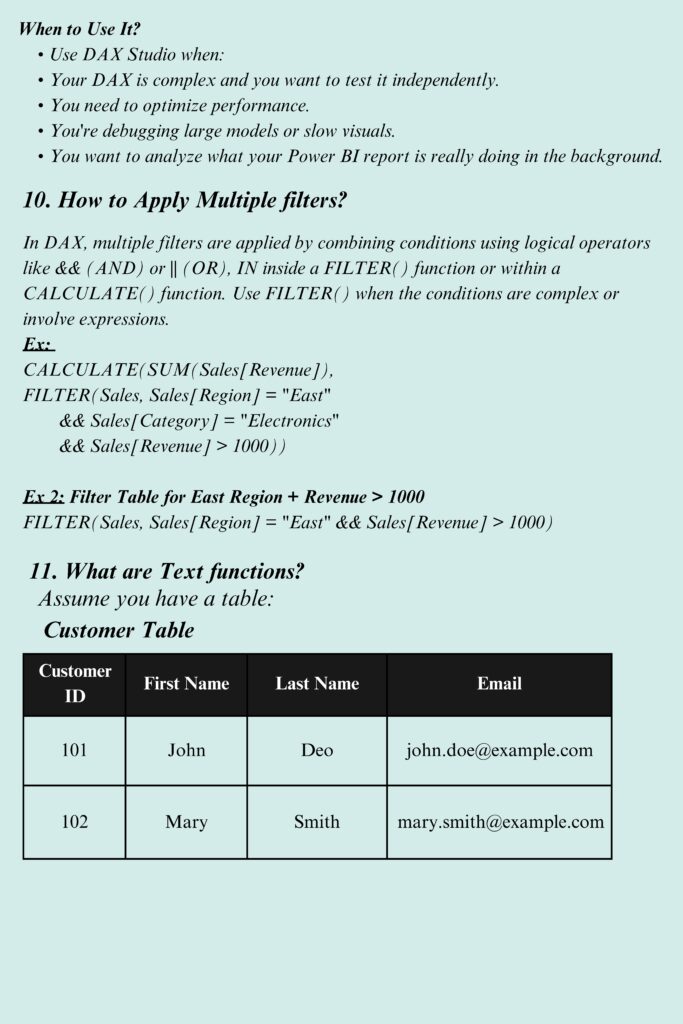
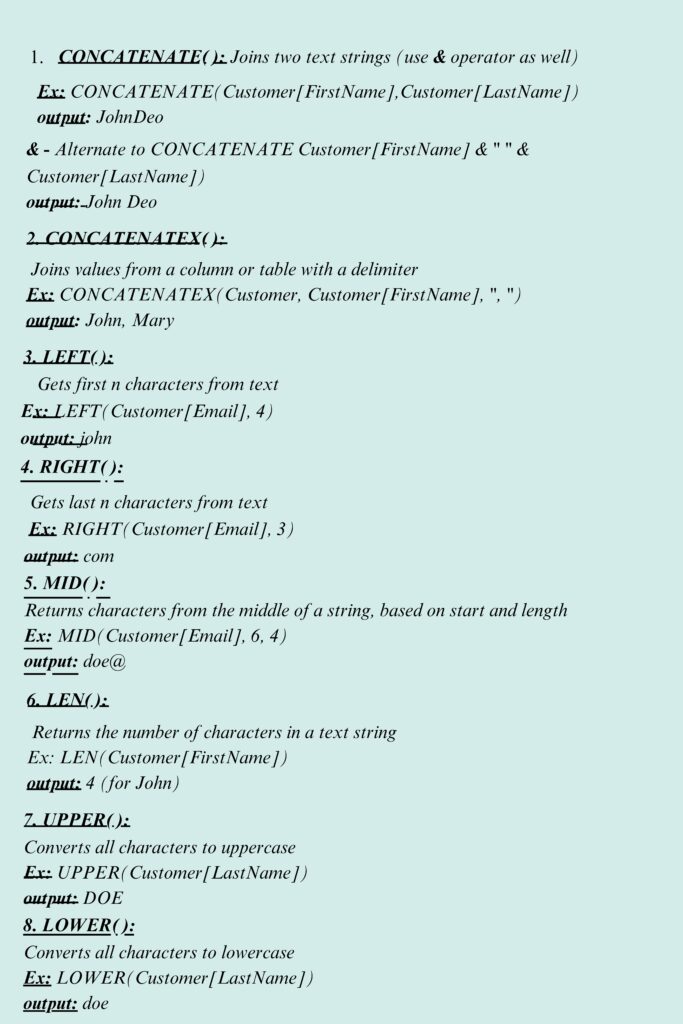
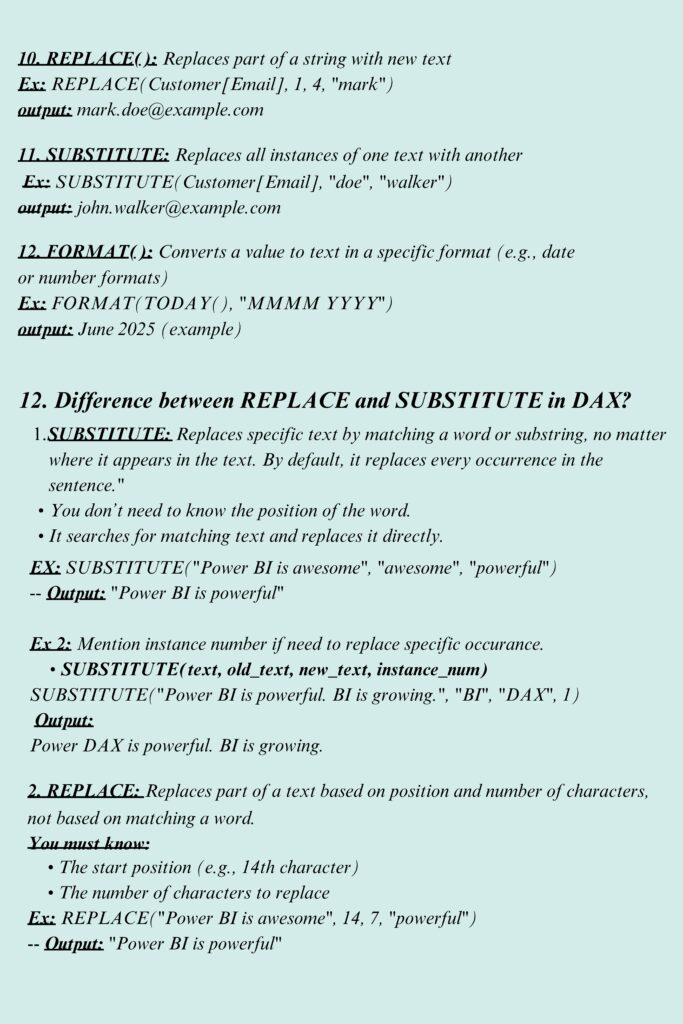
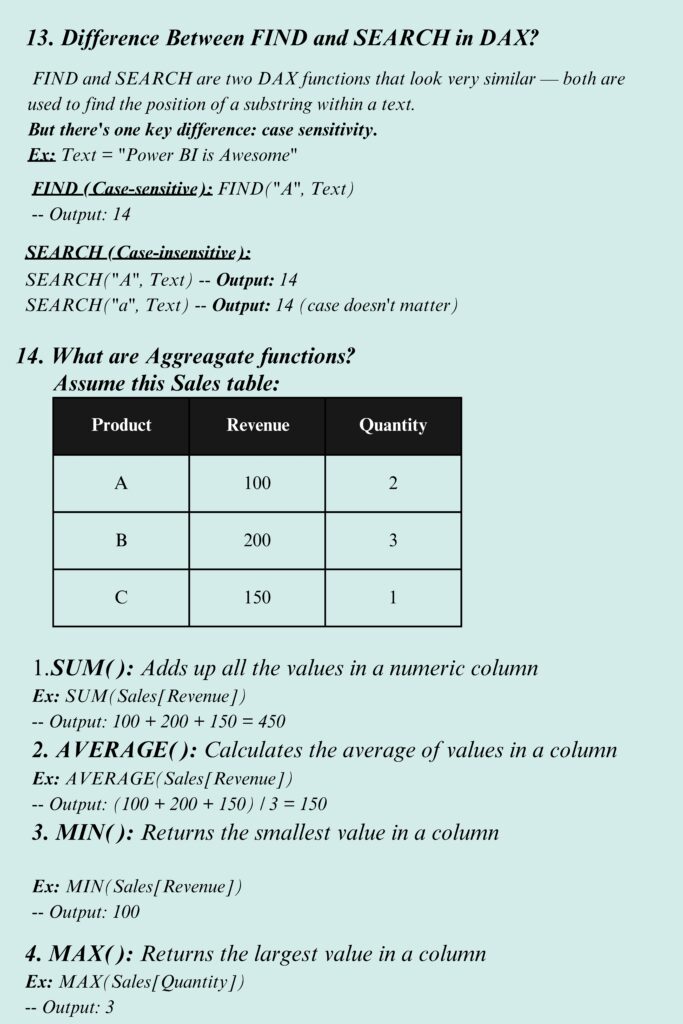
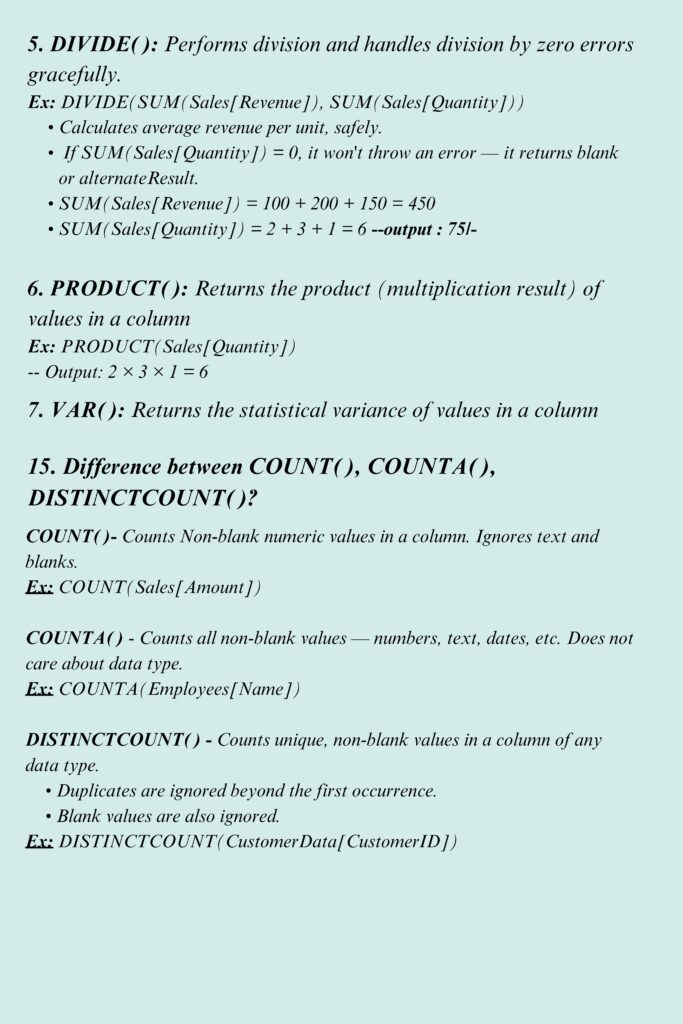
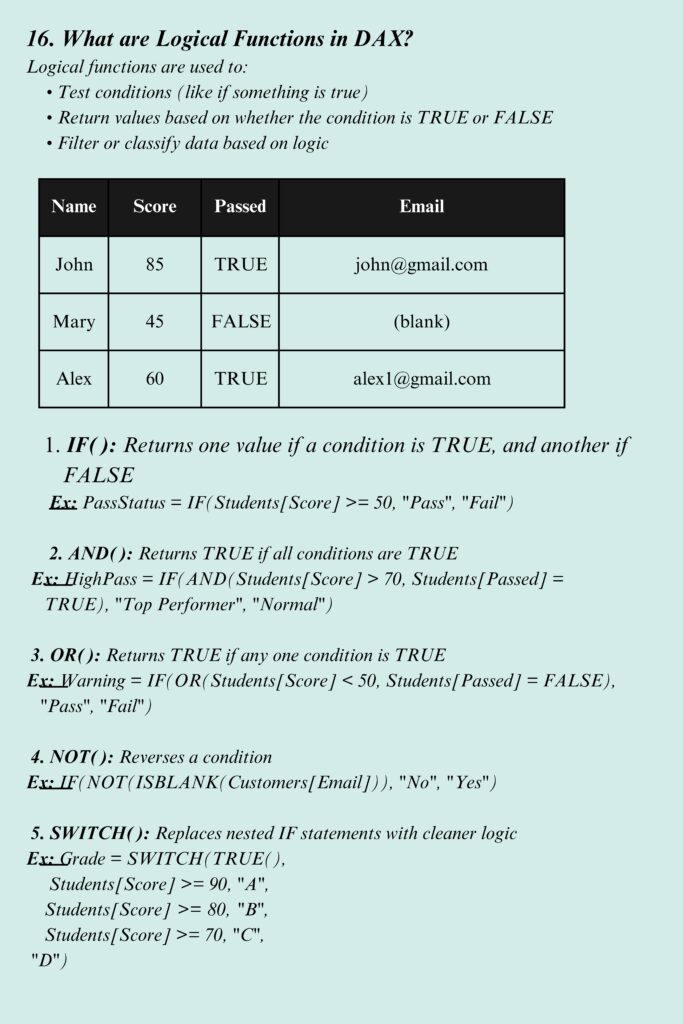
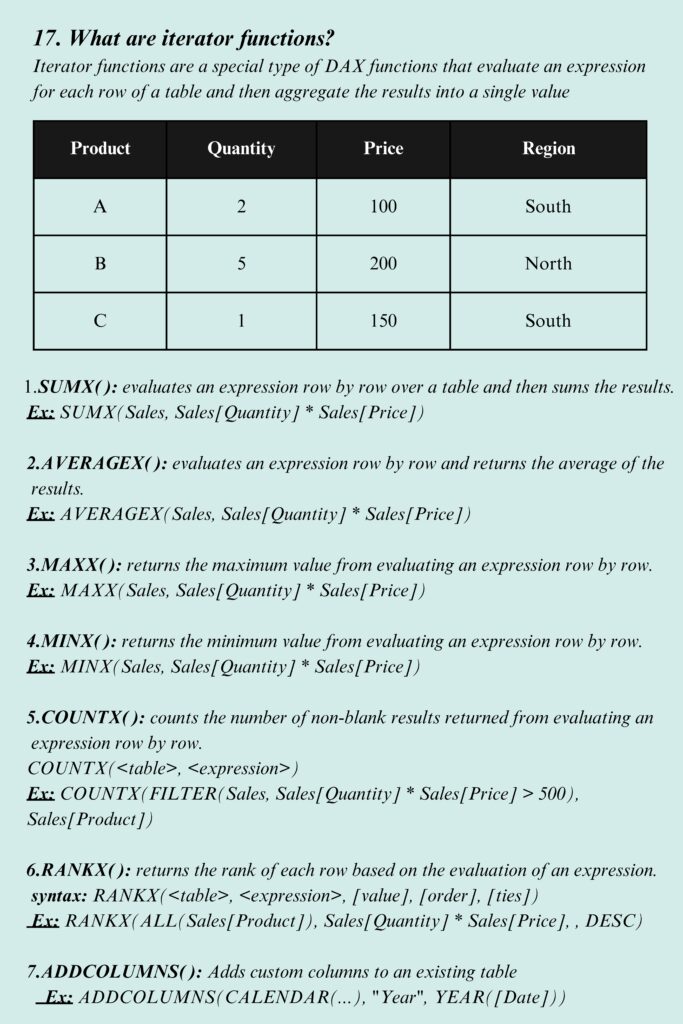
The document is structured to provide immediate answers. It uses a clear, side-by-side comparison format for complex topics and provides direct syntax examples that you can adapt to your own datasets. Whether you need to remember the arguments for a specific time-intelligence function or you need to double-check the performance implications of a calculated column, this overview has you covered.
3. The Content
We have packed this PDF with the essential building blocks of data analysis. Key sections include:
- DAX Syntax Fundamentals: A breakdown of how to structure a measure, including the use of table and column references.
- Calculated Columns vs. Measures: A definitive comparison table explaining the differences in storage, performance, and usage (e.g., Row Context vs. Aggregate Data).
- Calculated Tables: Instructions on generating new tables within Power BI using DAX rather than importing them from a source.
- Time Intelligence: Master essential formulas for Year-over-Year (YoY) growth, Month-over-Month (MoM) changes, and using the
SAMEPERIODLASTYEARandDATEADDfunctions. - The CALCULATE Function: A deep dive into the most important function in DAX, explaining how it modifies filters to provide dynamic results.
- Performance Optimization: Insights into “Scheduled Refresh” versus “Incremental Refresh” to keep your large datasets running smoothly.
4. Why The Document?
Why should you keep this PDF on your desktop?
- Eliminate Syntax Errors: DAX is sensitive to commas, brackets, and function names. Having a cheat sheet ensures you get the syntax right the first time.
- Optimize Performance: The guide explains when to use measures instead of calculated columns to save memory and improve report speed.
- Speed Up Development: Instead of searching through long forum threads for a common formula, you can find the logic you need in seconds.
- Bridge the Knowledge Gap: It translates complex concepts like “Ambiguous Filter Paths” into actionable steps that any analyst can follow.
5. Conclusion
Mastering DAX is the single biggest step you can take toward becoming a top-tier Power BI professional. It moves you away from static reporting and toward dynamic, interactive analytics that can answer complex business questions.
The DAX Cheat Sheet PDF is designed to be a living resource for your career. As you grow more comfortable with the basics, you can use the advanced sections of this guide to refine your logic and build more robust data models. Remember, the best DAX measures are not the most complex ones, but the ones that are accurate, efficient, and easy to maintain.
6. Download PDF
Don’t let complex formulas slow down your insights. Equip yourself with the ultimate reference tool for Power BI developers. Click the link below to access your copy.
[Download the DAX Cheat Sheet PDF Here]