

1. Introduction
If you are a network engineer working with Juniper Networks devices, mastering JunOS show commands is essential for daily operations, troubleshooting, and certification preparation.
To make your learning journey easier, we are excited to share the Juniper Show Commands PDF — a complete, well-organized field reference guide that consolidates the most important operational commands across the entire JunOS platform. Whether you are a CCNA-level engineer transitioning from Cisco IOS, a JNCIA/JNCIS candidate, or a seasoned NOC professional.
this free downloadable cheat sheet will save you hours of searching through documentation. In this Guide, we will walk you through what the document contains, who it is for, and why it deserves a permanent spot in your engineering toolkit.
2. Overview About the Document
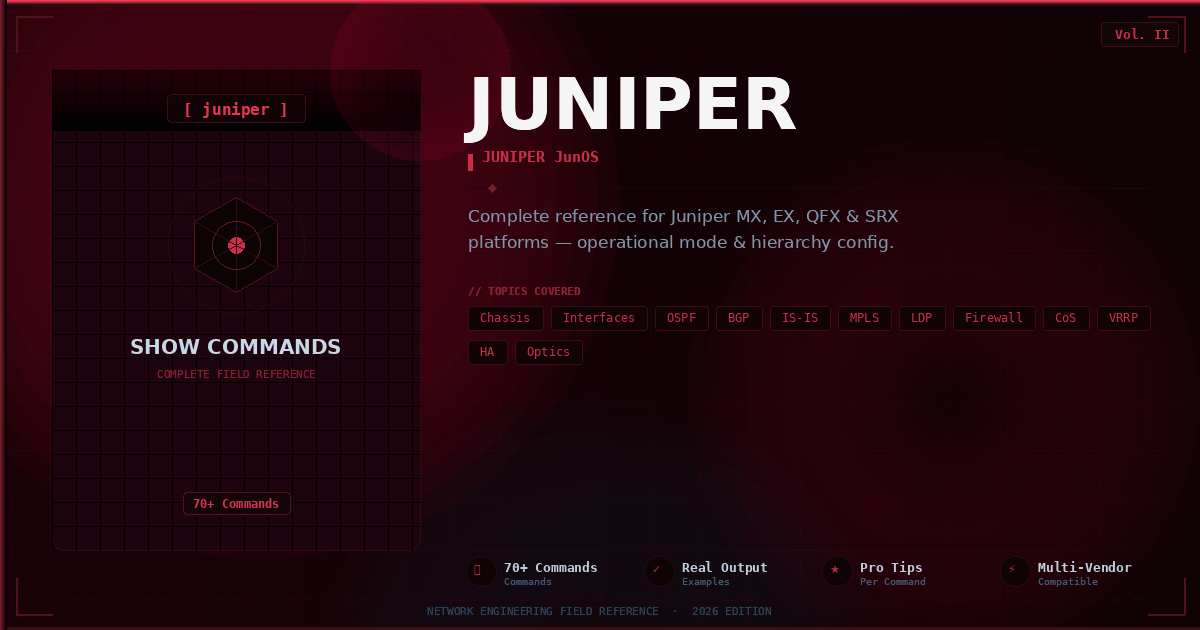
The Juniper Show Commands — Complete Field Reference Guide is a 26-page professional PDF designed for network engineers who deploy, monitor, and troubleshoot Juniper devices in production environments.
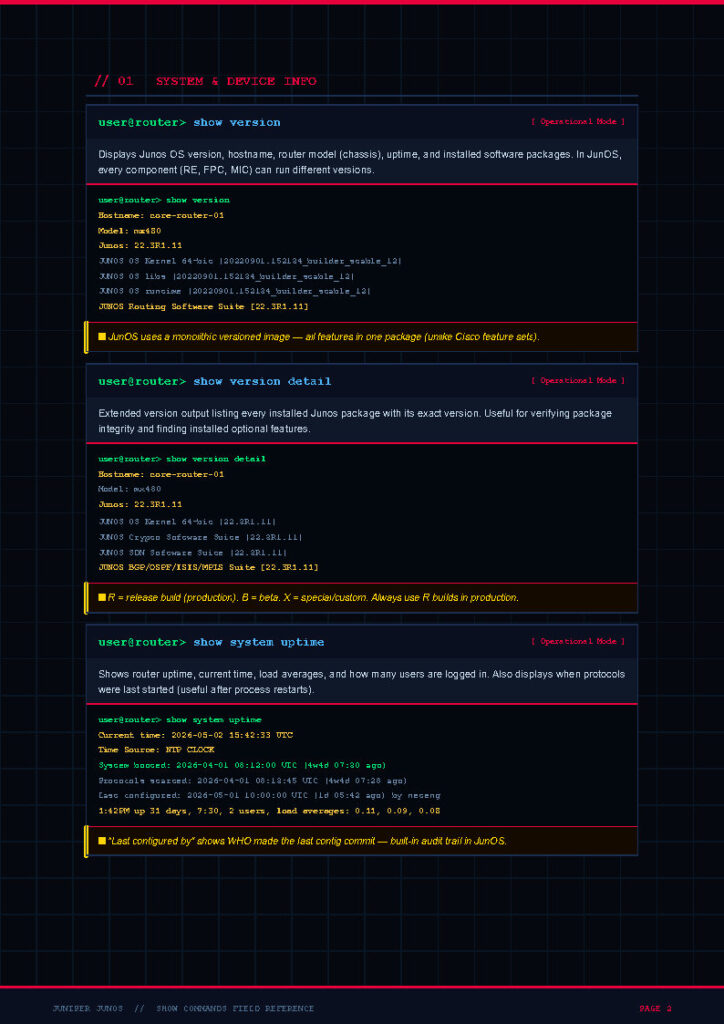
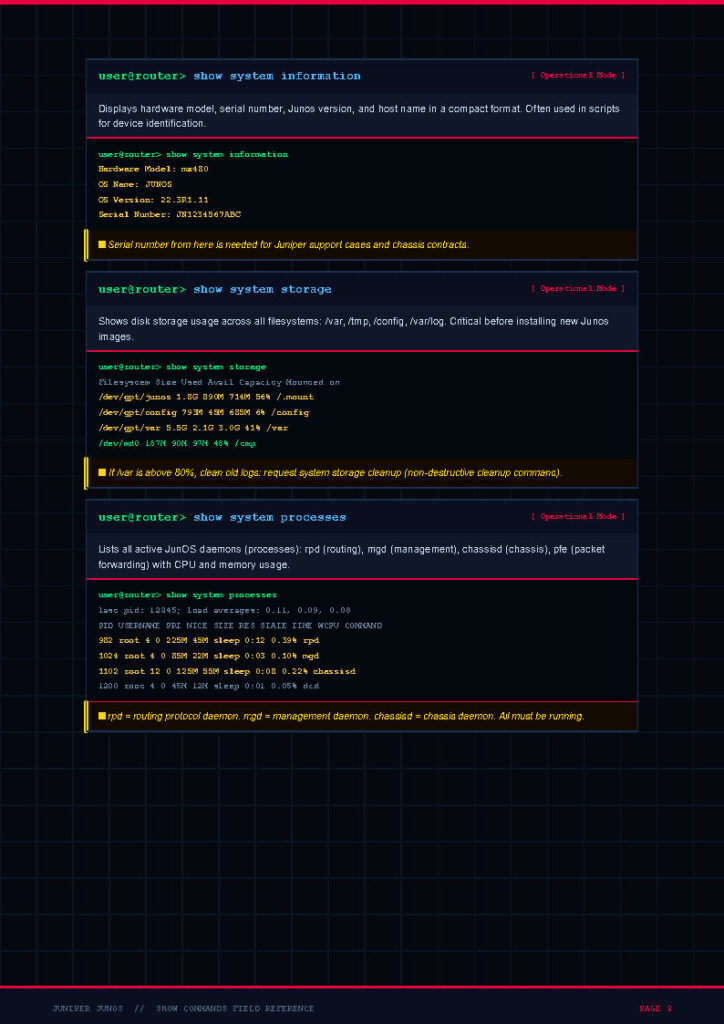
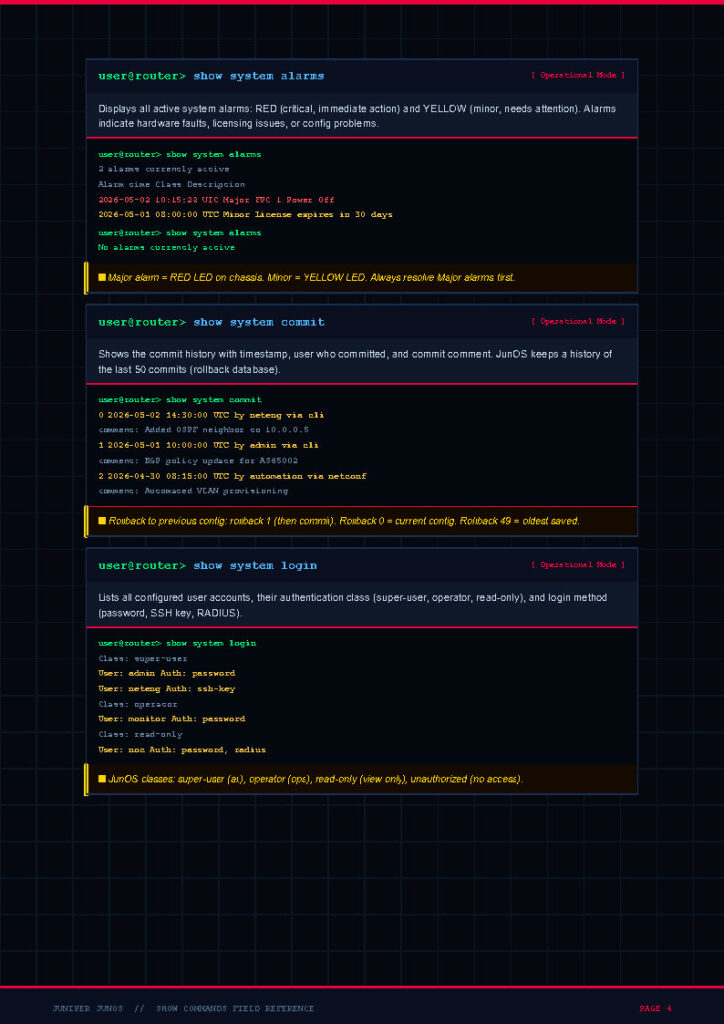
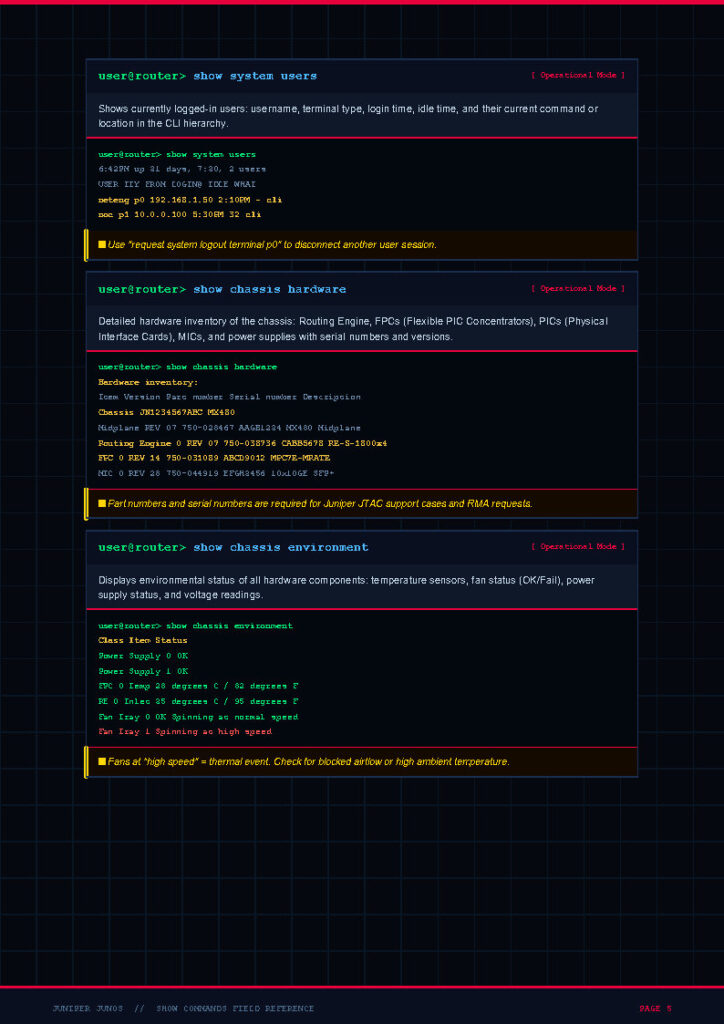
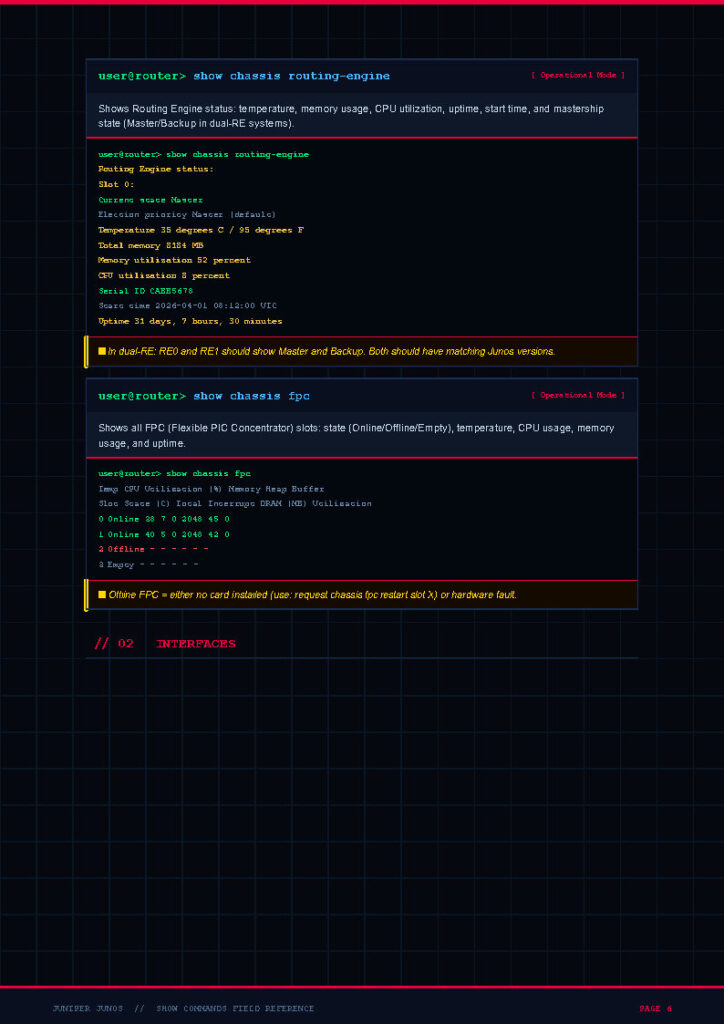
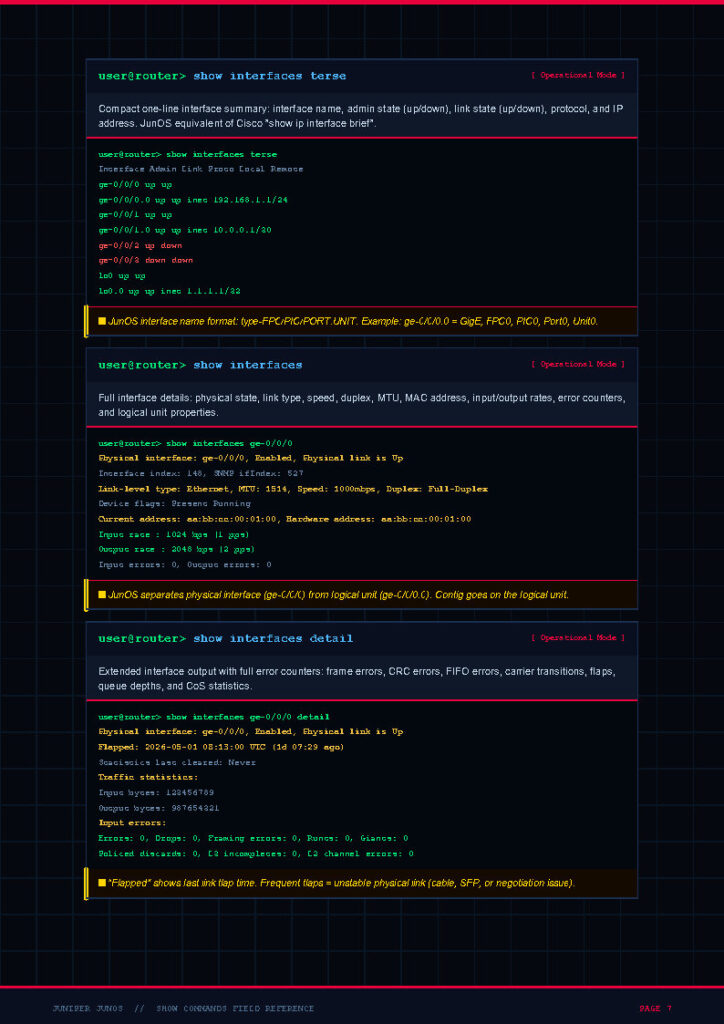
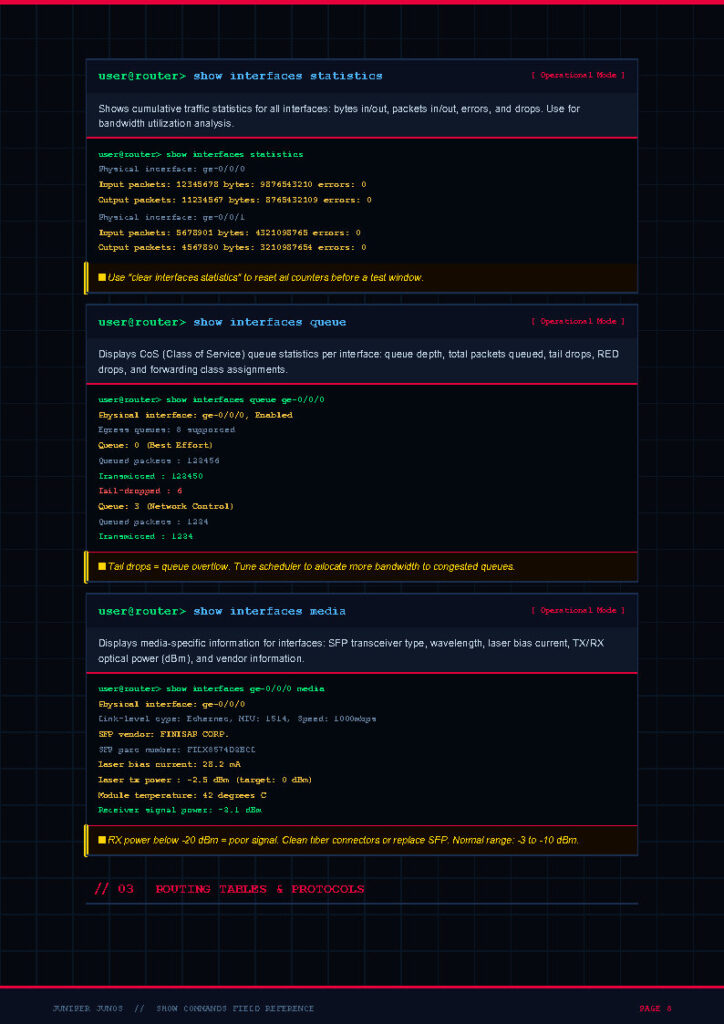
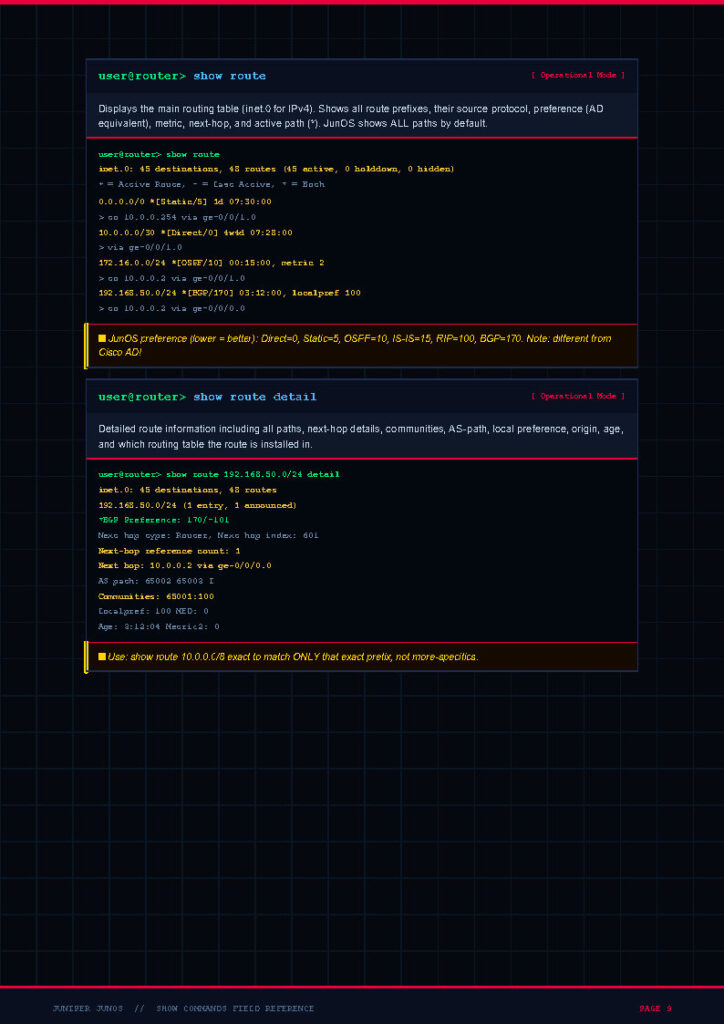
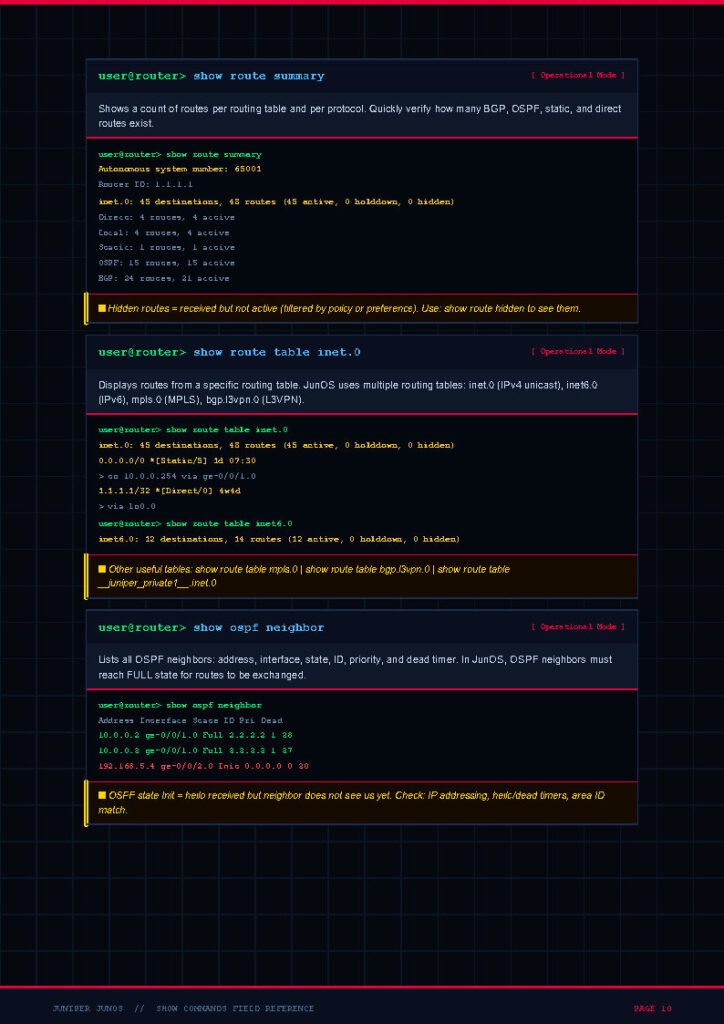
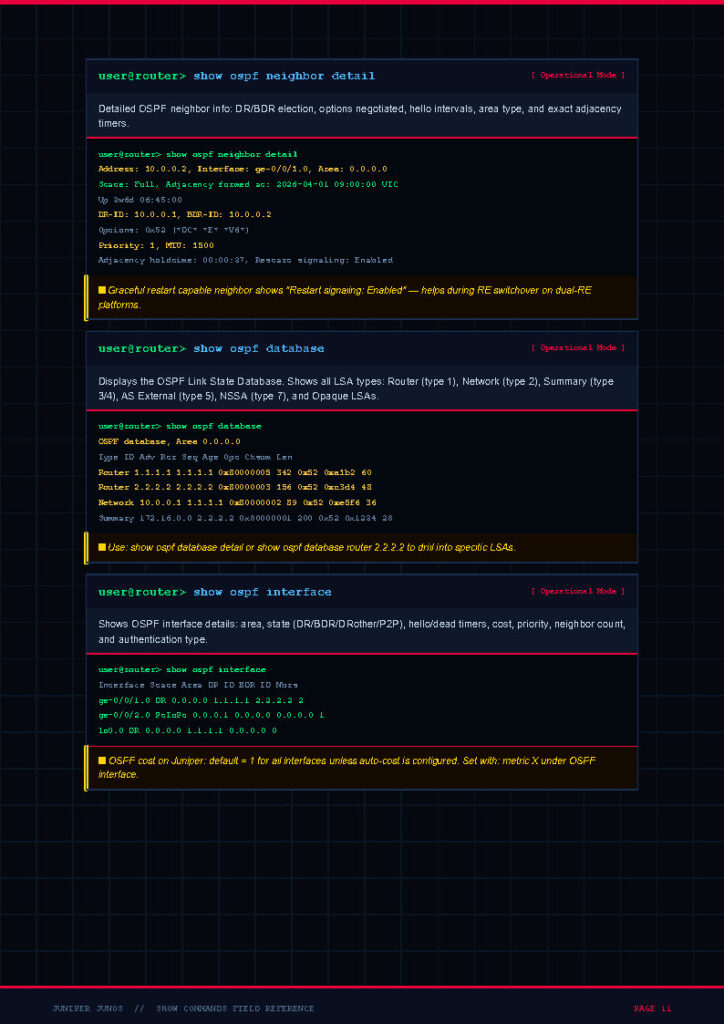
It covers JunOS 20+ and applies to the full Juniper portfolio, including the MX, EX, QFX, SRX, and PTX series. The guide includes more than 70 carefully selected show commands organized into 10 logical categories, making it easy to navigate based on the technology you are working with.
Most commands run in operational mode (the > prompt) unless explicitly noted, which keeps things simple and consistent throughout the document.
One of the most useful sections is the Cisco-to-JunOS translation table, which maps familiar Cisco IOS commands such as show ip int brief, show ip route, and show ip bgp summary to their JunOS equivalents like show interfaces terse, show route, and show bgp summary. This is a huge time-saver for engineers crossing between vendors.
3. The Content
The PDF is structured to mirror a real engineer’s troubleshooting workflow. Each section includes the exact command syntax, what to expect in the output, and quick notes on when to use it. Here is a breakdown of the major topics covered in the document:
- System & Chassis: show version, show chassis hardware, show system uptime, show system alarms, and environmental health checks.
- Interfaces: show interfaces terse, extensive, descriptions, diagnostics optics, and queue statistics.
- Routing Protocols: show route, show ospf neighbor, show isis adjacency, show bgp summary, and show bgp neighbor.
- ARP, VLANs & Layer 2: show arp, show bridge mac-table, show ethernet-switching table, and VLAN verification commands.
- MPLS & Services: show mpls lsp, show rsvp session, show ldp neighbor, and L3VPN/L2VPN verification.
- Security (SRX): show security policies, show security flow session, show security zones, and NAT translations.
- Class of Service (CoS): show class-of-service interface, classifiers, schedulers, and forwarding-class queues.
- High Availability: show chassis cluster status, show chassis redundancy, and graceful restart verifications.
- Diagnostics & Logs: show log messages, monitor traffic interface, ping, and traceroute commands.
- Configuration & Hierarchy: show configuration, commit model, hierarchy navigation, logical units, and policy-based routing.
4. Why This Document
There are countless Juniper resources online, but most are scattered across blog posts, forum threads, and lengthy official manuals. This document is different because it was built with practical, on-the-job use in mind. It is concise enough to scan in seconds during an outage, yet detailed enough to serve as a study companion for Juniper certifications such as JNCIA-Junos, JNCIS-ENT, JNCIS-SP, and JNCIS-SEC.
Here is why this PDF stands out from generic cheat sheets:
- Vendor-accurate: All commands are validated against JunOS 20+ on real Juniper platforms.
- Workflow-oriented: Commands are grouped the way engineers actually troubleshoot, not the way documentation is structured.
- Cross-vendor friendly: The Cisco-to-JunOS mapping helps engineers migrating from IOS feel at home quickly.
- Printable & portable: The clean dark-themed layout works equally well on a laptop screen or a printed desk reference.
- Free & shareable: No paywalls, no sign-ups — just a high-quality resource ready to download.
5. Conclusion
The Juniper Show Commands PDF is more than just a list of commands — it is a curated, field-tested reference designed to make your work with JunOS faster and more confident.
From verifying interface status on an MX router to inspecting security policies on an SRX firewall, this guide brings the most useful operational commands together in one easy-to-navigate document.
Bookmark it, print it, share it with your team, and keep it open during your next maintenance window. If you are preparing for a Juniper certification or building your skills as a multi-vendor network engineer, this PDF will quickly become one of your favorite study and reference tools.
6. Download From Below Link
Click the link below to access and download the full Juniper Show Commands PDF for free. Save it to your device, share it with your colleagues, and feel free to leave a comment with your feedback or suggestions for future cheat sheets.
👉 Download the PDF here: Juniper Show Commands – Complete Field Reference Guide (PDF)