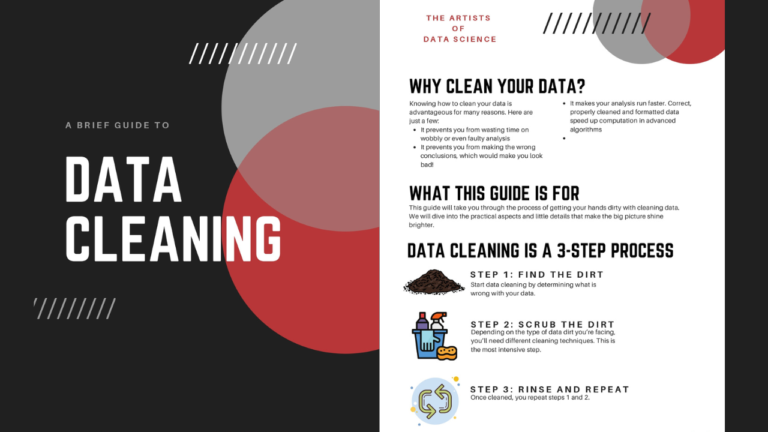

Real-world data is messy: missing values, duplicate rows, wrong data types, extra spaces and impossible numbers. Analysts often say they spend most of their time cleaning data before they can analyse it. This step-by-step guide shows you how to clean data in Python with pandas, using a small realistic dataset and the exact code you can reuse in your own projects.
The messy dataset
We will clean a small sales file, sales.csv, that has the typical problems:
order_id,Customer Name ,city,order_date,amount
1001, sara ali ,Cairo,2026-01-05,250
1002,OMAR ADEL,giza,05/01/2026,180
1003, sara ali ,Cairo,2026-01-05,250
1004,Mona Samir,,2026-01-07,
1005,Omar Adel,Giza,2026-01-08,-40
1006,Hany Fathy,Alexandria,2026-01-09,99999
Problems: inconsistent column names, extra spaces and mixed case, a duplicate order, a missing city and amount, mixed date formats, a negative amount and an extreme outlier.
Step 1: Load and inspect the data
import pandas as pd

df = pd.read_csv("sales.csv")

df.head()         # first rows
df.info()         # column types and non-null counts
df.describe()     # basic statistics for numeric columns
df.isna().sum()   # missing values per column
info() and isna().sum() tell you where the problems are before you change anything. Never start cleaning without looking first.
Step 2: Clean the column names
df.columns = (df.columns
                .str.strip()
                .str.lower()
                .str.replace(" ", "_"))
# 'Customer Name ' -> 'customer_name'
Consistent, lowercase names without spaces make every later step easier to write.
Step 3: Fix text values
df["customer_name"] = df["customer_name"].str.strip().str.title()
df["city"] = df["city"].str.strip().str.title()
Now " sara ali " becomes "Sara Ali" and "giza" becomes "Giza". This step matters because otherwise pandas treats the same value as different values.
Step 4: Remove duplicate rows
df.duplicated().sum()          # how many full-row duplicates
df = df.drop_duplicates()

# duplicates by business key only (same customer, date and amount)
df = df.drop_duplicates(subset=["customer_name", "order_date", "amount"], keep="first")
Clean the text before removing duplicates; otherwise " sara ali " and "Sara Ali" would not be detected as the same.
Step 5: Handle missing values
There is no single right answer: choose based on what the column means.
| Approach | Code | When to use |
|---|---|---|
| Drop rows | df.dropna(subset=["amount"]) | The value is essential and can’t be guessed |
| Fill with a constant | df["city"].fillna("Unknown") | Categorical columns |
| Fill with median | df["amount"].fillna(df["amount"].median()) | Numeric columns with outliers |
| Forward fill | df["value"].ffill() | Time series where the last value still applies |
df["city"] = df["city"].fillna("Unknown")
df = df.dropna(subset=["amount"])
Step 6: Fix data types
df["order_date"] = pd.to_datetime(df["order_date"], format="mixed", dayfirst=True, errors="coerce")
df["amount"] = pd.to_numeric(df["amount"], errors="coerce")
df["city"] = df["city"].astype("category")
errors="coerce" turns invalid values into NaT/NaN instead of crashing, so you can find and review them afterwards. The format="mixed" option requires pandas 2.0 or later.
Step 7: Handle invalid values and outliers
# business rule: amounts must be positive
df = df[df["amount"] > 0]

# IQR rule for outliers
q1, q3 = df["amount"].quantile([0.25, 0.75])
iqr = q3 - q1
low, high = q1 - 1.5 * iqr, q3 + 1.5 * iqr
outliers = df[(df["amount"] < low) | (df["amount"] > high)]
print(outliers)          # review before removing!
Don’t delete outliers automatically: a 99,999 order may be a typing error, or a real big customer. Review them, and decide with someone who knows the business.
Step 8: Validate and save
assert df["order_id"].is_unique
assert df["amount"].gt(0).all()
assert df["order_date"].notna().all()

df.to_csv("sales_clean.csv", index=False)
Simple assert checks protect you from silently passing dirty data to the next step of your analysis.
A reusable cleaning function
def clean_sales(path):
    df = pd.read_csv(path)
    df.columns = df.columns.str.strip().str.lower().str.replace(" ", "_")
    for col in ["customer_name", "city"]:
        df[col] = df[col].str.strip().str.title()
    df = df.drop_duplicates(subset=["customer_name", "order_date", "amount"])
    df["city"] = df["city"].fillna("Unknown")
    df["order_date"] = pd.to_datetime(df["order_date"], format="mixed", dayfirst=True, errors="coerce")
    df["amount"] = pd.to_numeric(df["amount"], errors="coerce")
    df = df.dropna(subset=["amount", "order_date"])
    return df[df["amount"] > 0]
Data cleaning checklist
- Inspect:
info(),describe(),isna().sum() - Standardise column names
- Trim and normalise text
- Remove duplicates (after text cleaning)
- Handle missing values deliberately
- Convert data types
- Apply business rules and review outliers
- Validate with asserts, then save
Frequently Asked Questions
Should I clean data in SQL or in pandas?
Both are common. Clean in SQL when the data is very large and already in a database (see how to find duplicate rows in SQL). Use pandas for exploration, flexible transformations and smaller files.
Is it better to drop or fill missing values?
Drop when the missing value can’t be estimated and you have plenty of data. Fill when dropping would remove too many rows, and always document the choice.
Do I need to clean data before machine learning?
Yes. Models learn from whatever you give them, so duplicates, wrong types and outliers directly reduce accuracy.
Free PDF and related resources
- Data Cleaning of Data Science PDF
- Python Data Science PDF
- Data Science from Scratch PDF
- Data Scientist Interview Cheat Sheet PDF